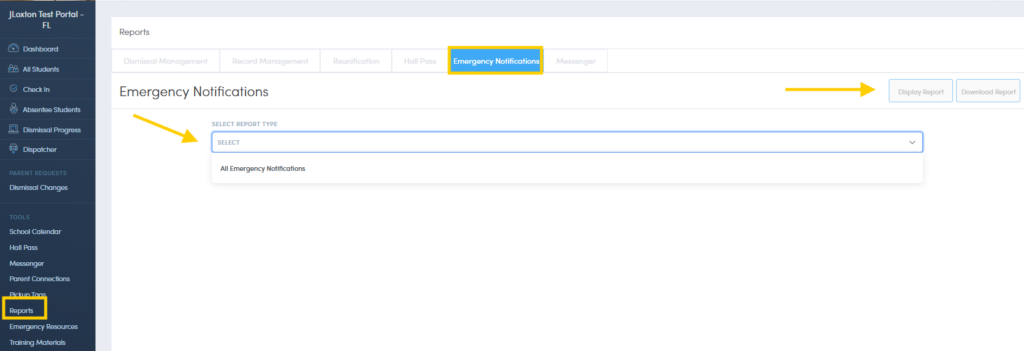
How To Pull An Emergency Alert System Report
To view reports for previously sent emergency notifications, click on Reports > Emergency Notifications. Determine the date or the date range and click Display Report. Reports can also be downloaded, exported or printed.
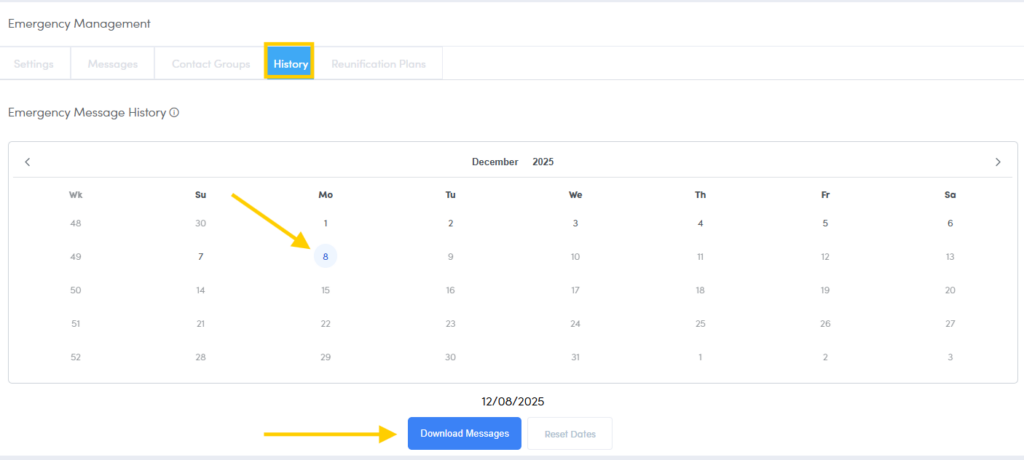
History Report
Admin users are able to download a report that shows the history of emergency alerts notification recipients.
* Best Practice: After conducting a drill, the school admin should review a history report to ensure all recipients received the notifications as intended. Staff/Teacher contacts will receive the notifications by text, phone call, email and if they have the Staff App, by push notification. Additional contacts added in Contact Groups will receive a phone call and text notification.