
Visitu Visitor Management
Protect Your School Campus With Confidence
Efficiently manage school campus access and enhance security with a user-friendly solution.
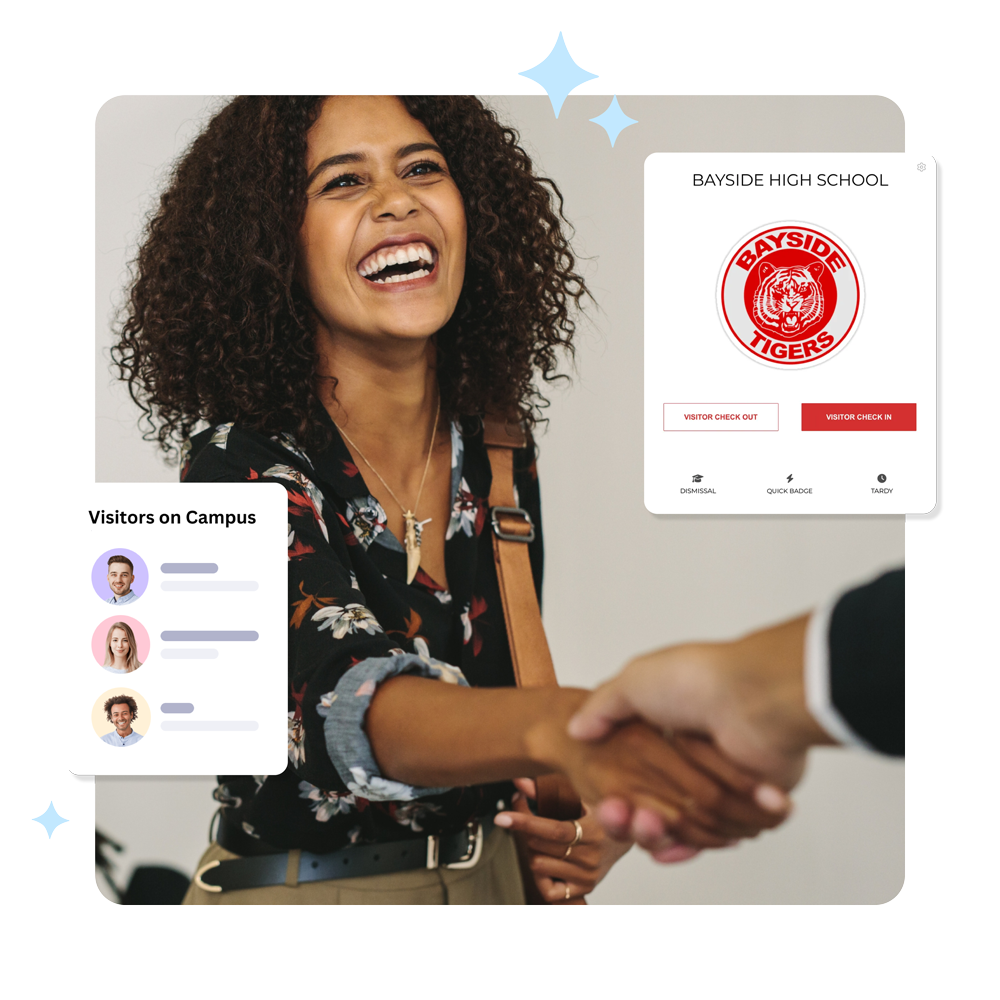
Stay informed and know who is on campus and monitor, manage and track all visitors. Collect visitor information, scan IDs, capture photos, print badges, run instant offender background checks and automatically notify staff of guests.






It's Time To Reimagine School Safety
Streamline Your School
Visitor Management
Streamline Your Visitor Sign-In Process

Visitors can quickly sign themselves in using self-service kiosks, scan their IDs, take photos, and print their badge. Automate check-ins to minimize wait times and lighten administrative tasks with quick, paperless processes with minimal hardware.
Easily Accessible Visitor Logs & Reports
Access detailed logs and reports to gain valuable insights into all campus visitors. Effortlessly manage records of visitors and volunteers, helping track who is on campus at any moment. Further bolster campus security by enabling swift identification during emergencies or incidents.

Sex Offender Background Checks

Visitu Visitor Management automatically and instantly scans and compares all visitor information against offender database records.
Instantly notify specific school personnel when a possible offender alert occurs via email, SMS, and push notification through Visitu Mobile. Minimize risk and allow school administrators to quickly take appropriate actions.

Monitor Campus
Know all visitors on campus at all times. View a real-time dashboard with visitor details.

Offender Checks
Stop threats at the door with instant scanning against the national offender database.

Watch Lists
Notify key personnel when specific visitors check in to your campus.

Badge Printing
Print label visitor badges to identify visitors on campus.

Notify Employees
Notify employees via email & SMS when a visitor arrives.

Logs & Reports
View comprehensive reports & logs of all visitors on campus.

Apple iPad
Visitu Visitor Management only supports the Apple iPad to run the Visitu Kiosk iOS Application. We do not support any other type of tablet.

Label Printer
To print visitor paper adhesive badges, you will need to purchase the Brother QL-820 NWBC printer.

iPad Kiosk
We highly recommend using Bosstab kiosks & accessories. Follow the link below to see our recommended products.

Label Tape
The badge labels we recommend are the Brother DK-2205. You can also purchase compatible generic labels.
Frequently Asked Questions
How Does Visitor Management Work?
What is a visitor management system and how does it work?
A visitor management system (VMS) is a digital system designed to streamline and manage the process of visitors entering and exiting a facility. Here’s how a typical visitor management system works:
- Check-In/Registration: When a visitor arrives, they are typically required to check in at a designated kiosk or reception desk. This involves providing basic information such as their name, the purpose of their visit, and who they are meeting with.
- Visitor Identification: The VMS will often issue the visitor a badge or sticker that identifies them as an authorized visitor. This helps staff easily recognize and verify visitors.
- Host Notification: Once the visitor is registered, the VMS will automatically notify the host/employee that the visitor has arrived, often via email, text message, or an alert on their mobile device.
- Visitor Tracking: The VMS keeps a digital record of the visitor’s arrival and departure times, as well as other relevant information like who they visited. This provides a detailed audit trail.
- Visitor Access Control: In some cases, the VMS may be integrated with access control systems to manage and restrict visitor access to certain areas of the facility.
- Reporting & Analytics: VMSs often provide reporting and analytics tools that allow the organization to track visitor trends, generate reports, and identify potential security or efficiency issues.
The main benefits of a visitor management system include improved security, enhanced visitor experience, better accountability, and more efficient visitor processing. It helps organizations maintain control over who is accessing their facilities and when.
How does Visitu Visitor Management ensure campus safety?
Visitu Visitor Management enhances campus safety through a multi-faceted approach that focuses on control, information, and communication. Here’s how it contributes to a safer campus environment.
Enhanced Access Control & Screening
- Digital Check-In/Check-Out: Visitu provides a streamlined and digital process for visitors to check in and out. This ensures that campus security has an accurate and up-to-date record of who is on campus at any given time, which is crucial during emergencies.
- ID Verification: The system can be configured to require various forms of identification, including government-issued IDs or even specific campus credentials for authorized guests. This helps verify that the person entering is who they claim to be.
- Watchlist Integration (Potential): While not explicitly detailed in all Visitu functionalities, many visitor management systems can integrate with watchlists or databases of individuals who are prohibited from entering campus, further bolstering security.
Real-Time Visibility & Audit Trails
- Live Occupancy Monitoring: Visitu provides a real-time overview of who is currently on campus, including visitor numbers and their locations (if registered to specific buildings or departments). This live data is invaluable for emergency response.
- Comprehensive Audit Trails: The system meticulously records all visitor activity – from pre-registration to check-in, movement within campus (if tracked), and check-out. This creates an indisputable audit trail that can be used for investigations or post-incident analysis.
Improved Communication & Emergency Response
- Targeted Notifications: In the event of an emergency, campus security can use Visitu to quickly identify and potentially notify all visitors currently on the premises. This ensures that everyone on campus receives critical safety information in a timely manner.
- Efficient Evacuation Management: During an evacuation, knowing exactly who is on campus and their last known location can significantly aid evacuation efforts and ensure that no one is left behind.
Streamlined Operations & Reduced Risk
- Reduced Reliance On Manual Processes: By automating visitor management, Visitu reduces the risk of human error associated with manual sign-in sheets, ensuring more accurate data and a more controlled environment.
- Professional & Secure Image: A well-managed visitor system projects a professional and secure image for the campus, demonstrating a commitment to the safety and well-being of students, faculty, staff, and visitors.
Can visitors check in using a kiosk or mobile device?
Yes, visitors can check in using self-service kiosks where they scan their IDs, take photos, and print visitor badges, streamlining and speeding up the process with minimal hardware. Although the search results emphasize kiosks primarily, many modern visitor management systems like Visitu also support check-in via mobile devices or apps for pre-registration or contactless entry, although specific mobile check-in details for Visitu are not explicitly stated in the provided sources.
In summary, Visitu Visitor Management allows visitors to use kiosks for on-site self check-in efficiently, and it is common practice for such systems to support mobile device check-in options as well.
Is Visitu integrated with school databases?
Visitu is designed to integrate directly with school databases and critical student information systems (SIS). This deep integration is fundamental to its effectiveness in a school safety environment.
How are visitor records stored and accessed?
Visitor records are stored securely in encrypted databases, with sensitive personally identifiable information (PII) protected using strong encryption methods such as AES256. Data transfer between check-in devices (e.g., kiosks or iPads) and the central system is secured through HTTPS (SSL) connections to prevent interception or unauthorized access during transmission.
Does the Visitor Management System include background checks?
Visitu (and most VMS) offers identity verification and screening against watchlists, but comprehensive background checks are not typically built-in. They can often be enabled through integrations with third-party background-check providers, depending on your plan and region.
What This Means In Practice
- Built-In Screening: You can screen visitors against custom or prebuilt lists (security, restricted, criminal watchlists) and verify identity (photo, ID, QR cods).
- Background Checks Via Integration: For more in-depth checks (criminal records, employment/education verification), you’d usually connect Visitu to a background-screening provider. Results can be tied to the visitor record if the integration is supported.
- Policy & Consent: Running background checks involves sensitive data. You’ll need clear consent, compliance with local laws (e.g. FCRA in the U.S., GDPR in Europe), and strict data handling controls.
What To Consider If You Need Background Checks
- Region & Laws: Availability and requirements vary by country/state.
- Visitor Type: Often reserved for contractors/vendors or high-security scenarios rather than casual guests.
- Consent & Retention: Ensure you have consent and define how long results are kept.
- Workflow Impact: Background checks can add processing time; plan for how this affects pre-registration or on-site approval.
- Integration Readiness: Confirm which background-check providers are supported and what data is shared.
Does this system replace the manual sign-in sheet?
Yes, Visitu Visitor Management is specifically designed to replace traditional manual sign-in sheets and offers numerous advantages over them.
Trustindex verifies that the original source of the review is Capterra.
Efficient and User-Friendly Dismissal Platform Overall: Overall, PikMyKid is a reliable and effective platform that significantly improves dismissal procedures. While there are minor areas to refine, it delivers strong performance where it matters most: safety, organization, and ease of daily use. Pros: PikMyKid stands out for its ease of use, offering a clean, intuitive interface that both staff and families can quickly adopt. The dismissal process is highly efficient, helping our school organize pickup smoothly while reducing congestion and confusion. Its student management system is also a strong asset, enabling accurate tracking and clear, real-time communication between school staff and guardians. Cons: There are a few areas for improvements, including occasional app lag and delayed notifications, particularly during peak dismissal times. Additionally, more customization options for different school needs would enhance flexibility and user experience.Posted on Capterra
 D.J. V.205 days agowe love Pikmykid! Overall: We have been using it for a few years and really love the products we purchase but mostly love the quick support that they provide. Pros: We have been using Pikmykid for student dismissal for a few years and love how easy it is to use and how quickly we can contact Pikmykid for great support in the moment. We have recently expanded our purchases with them to include visitor management and attendance and could not be happier with the product for student management! Pikmykid provides a great value for our budget! Cons: We would love it if they integrated with our SIS, schooltool with more ease, especially with attendance.Posted on Capterra
 Jennifer B.205 days agoOperations Manager Overall: We have been using PikMyKid for over 3 years. We have enjoyed our experience. I love that if I have any issues, their support team has fast response times and help in a timely matter. Pros: I love how seamlessly we were able to incorporate it into our dismissal. Parents love the real time bus departures, and it makes for a much smoother and calmer dismissal. Cons: We don't utilize everything that PikMyKid has to offer such as, syncing absent students, we do that manually. The process to have our systems link and set up always seem complicated when I do reach out.Posted on Capterra
 Allison G.207 days agoPik My Kid : wonderful!! Overall: Our overall experience has been very good. Our school and parents are happy with the way the program operates for the safety of our school children and staff. Pros: It allows our families to safely identify they are at school and who they are picking up. Our staff is able to identify each car for each child. Cons: Sometimes, there are glitches to the program but they are few and far between.Posted on Capterra
 Patricia F.563 days agoPick Up Time Is Not A Hassle with Pikmykid Overall: Our childcare center is very satisfied with Pikmykid, and it has made a significant difference in managing large numbers of children. Pros: It gives us a reliable platform that we can completely control to help manage the dismissal of the 534 birth through 5-year-old children we serve. It is also a reliable platform for parents to delegate alternative pick-up guardians for their children. Cons: Our parents have had intermittent issues with their apps randomly not allowing them to log in. I can usually guide them through a workaround for this issue, but it is a multi-step process and inconvenient during pick-up.Posted on CapterraRebecca S.597 days agoPikmyKid is a Game Changer Overall: Our experience has been extremely positive. We went from using Pikmykid to enhance our student drop-off and pick-up at one elementary school to buying it for our entire district. Our high school principal is a big fan of the hallway pass feature. I am particularly pleased with the emergency notification and reunification functions. Pros: I appreciate the versatility, intuitiveness, and functionality of PikmyKid. Their customer service is also second to none. We could not be more pleased. Cons: I really have not complaints. I have recommended PikmyKid to several colleagues.Posted on Capterra
 Ron L.725 days ago
Trustindex verifies that the original source of the review is Capterra.
Assistant Principal Overall: Overall the last two years have been good and when I ask for help pikmykid is always available to assist. Pros: It improves communication between parents and teachers regarding transportation." Cons: The rollover process is a little hard at the end of the year with adding new students and enrolling student into homeroomPosted on Capterra Georgette F.728 days agoHappy Pikmykid customer Overall: Overall I like Pikmykid. It is great for dismissal and safe school alerts Pros: I like being able to access students in the classrooms for dismissal Cons: I don't like the hall pass I think its too much of a process for the teachers to usePosted on Capterra
 Kim E.728 days agoPikmykid Makes Dismissal Easy Overall: Pikmykid is a fantastic tool to afternoon dismissal. When we first rolled it out, we had questions during the first few days of school, but Pikmykid responded to our questions very quickly. As a Tech Director at the school, I'd say that they have the best technical support of any company I have ever dealt with. They respond quickly with the correct answers, so my impression is that their tech support people are sharp and well-trained. I'm so happy that we chose Pikmykid. Pros: The program is very intuitive, which makes in easy to learn and use. Cons: I'm not sure I dislike anything about this program.Posted on CapterraMichael L.729 days agoAssistant Administrator Overall: This BRAND helps to provide SOUTHLAND with SAFETY and SECURITY as well as PEACE and ORDER allowing us to build EXCEPTIONAL RELATIONSHIPS. Pros: CUSTOMER SUPPORT is EXCELLENT. TRAINING is SIMPLE. APPLICATION USE is EASY. SET UP is SMOOTH. DISMISSAL ORGANIZATION is NEXT LEVEL. STUDENT ACOUNTABILITY is REASSURING. COST is WORTH IT. Cons: NOTHING TO SAY. The RELATIONSHIP FACTOR with PIKMYKID STAFF MEMBERS is the KEY to their SUCCESS.Posted on CapterraCraig W.731 days ago
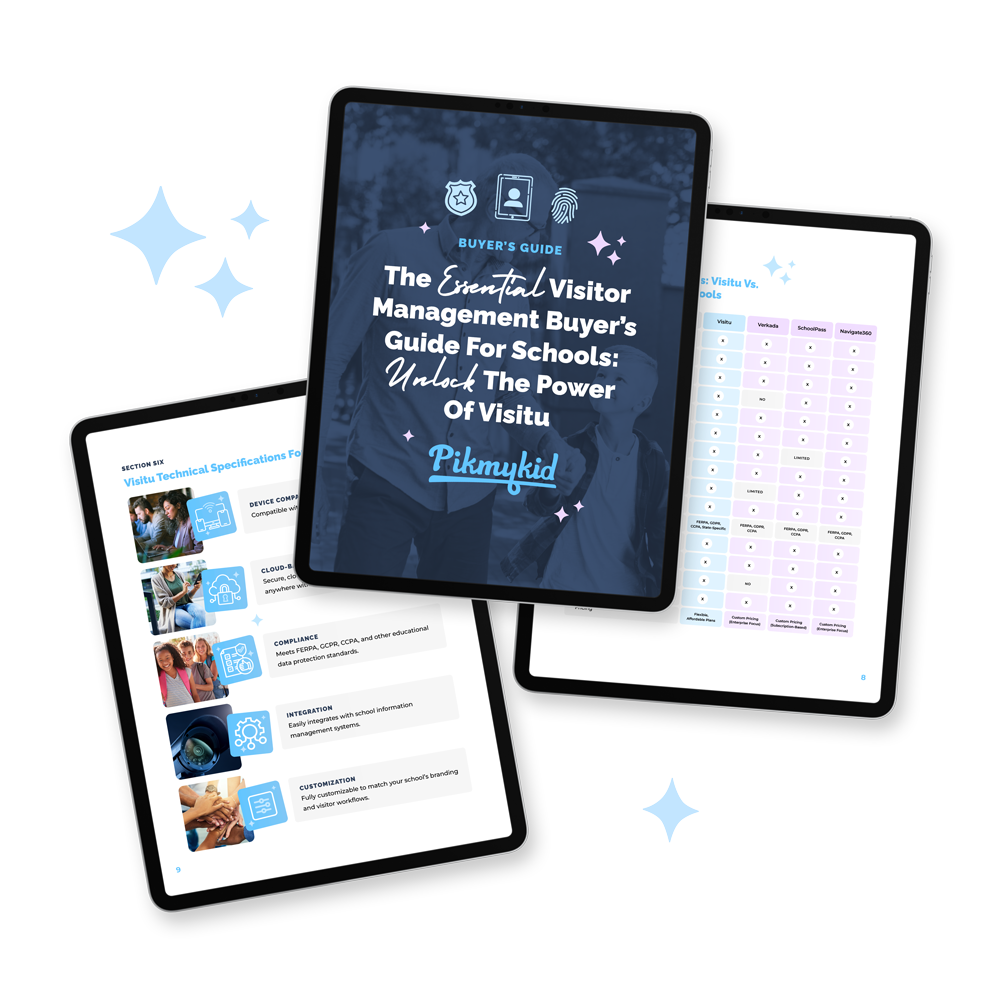
Guide
The Essential Visitor
Management Buyer's Guide
Explore the essential guide for choosing a visitor management system for schools and learn why Visitu is the top choice for security, efficiency, and compliance.
Infographic
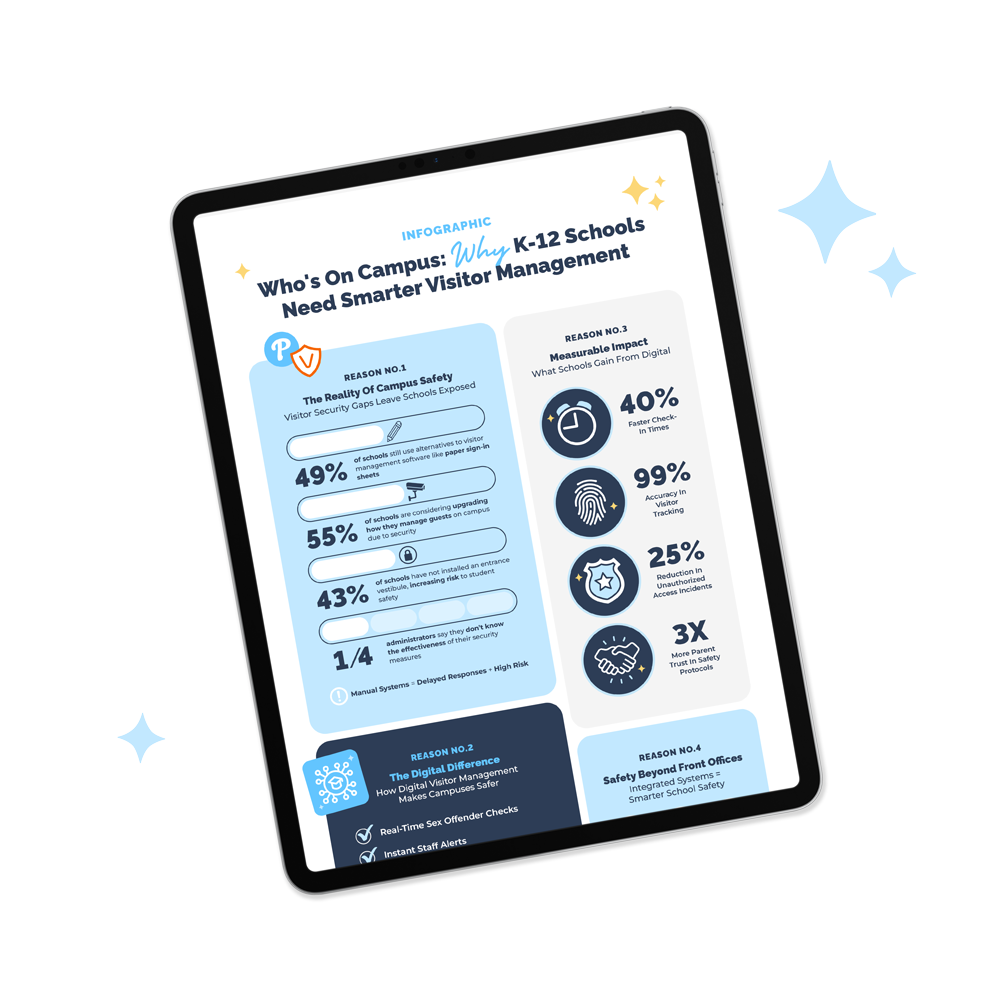
Visitor Management Infographic
Explore this visitor management infographic showing how digital tools reduce check-in time, improve accuracy, and strengthen school safety.
Ebook
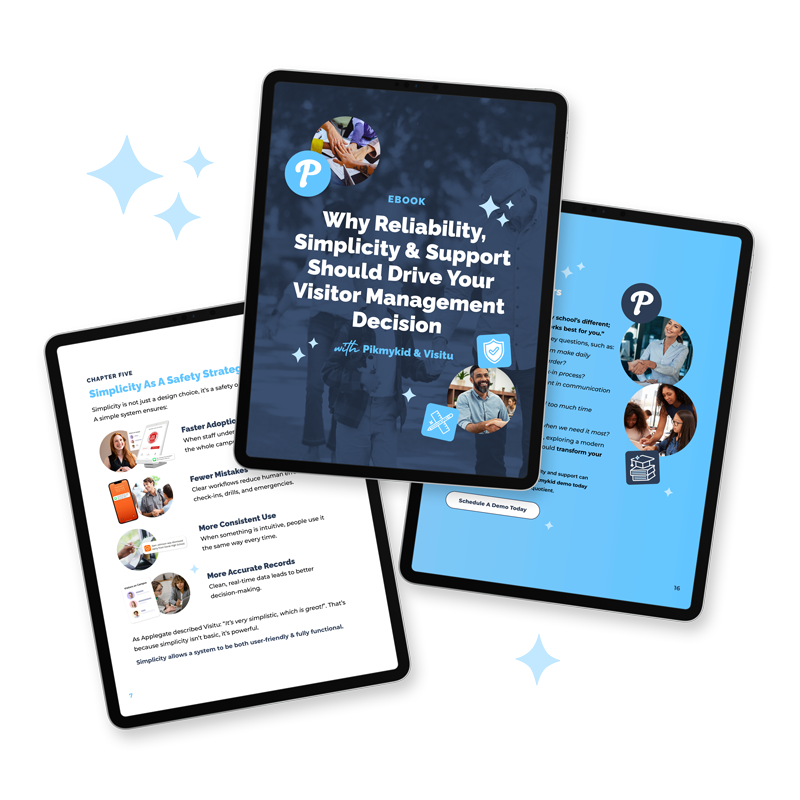
Visitor Management Case Study eBook
Confidence in school safety starts with systems that work. Learn how reliable, simple & supported visitor management restores trust across your campus.













Subscribe to our blog
join us on social
Follow along with Pikmykid on social for helpful tips, great resources and all of the latest news.