
Download PDF
Click here to download a PDF with this information.
Creating A Hall Pass Using Student Name
How To Create A Hall Pass
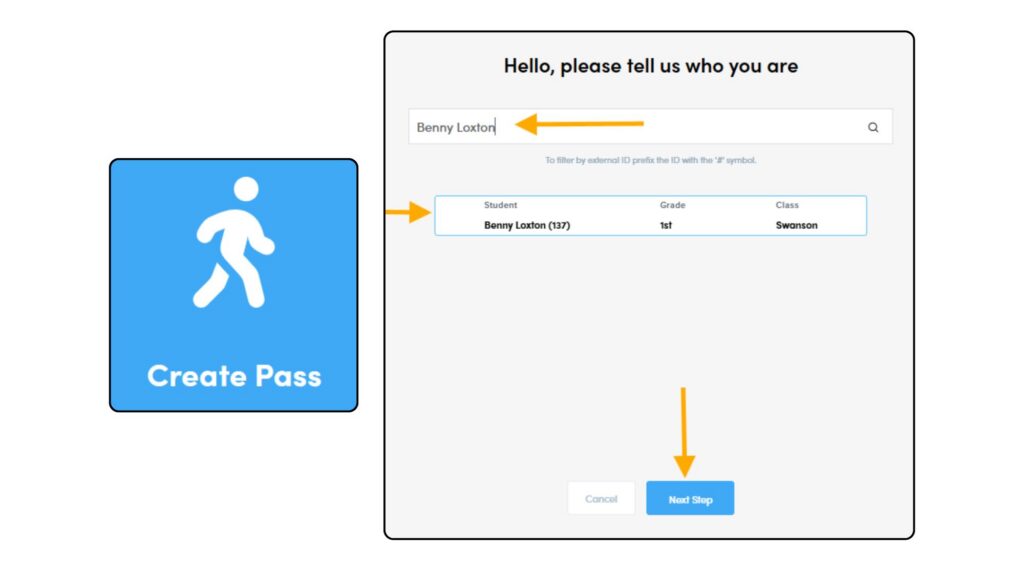
- Select Create Pass
- Type First & Last Name and click Enter
- Confirm Your Information
- Click Next Step
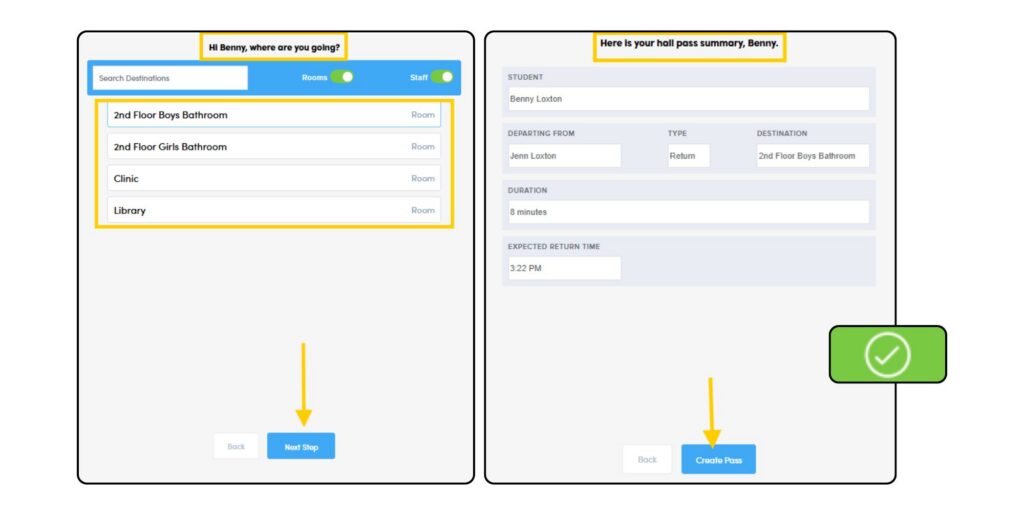
- Where Are You Going? Click Location
- Click Next Step
- Review your Pass Summary and click Create Pass
- Your Hall Pass is now Active
How To Complete A Hall Pass
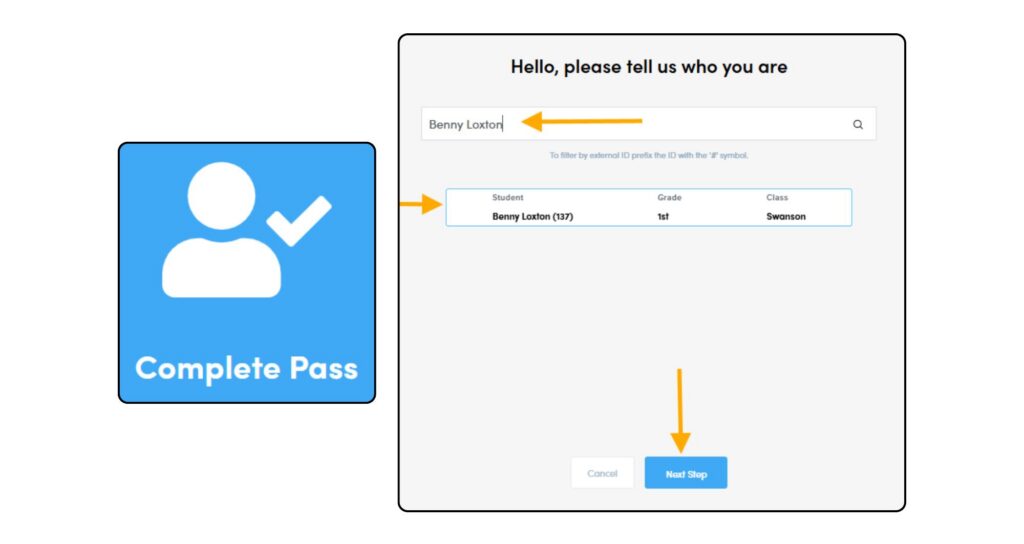
- Select Complete Pass
- Type First & Last Name and click Enter
- Confirm Your Information
- Click Next Step
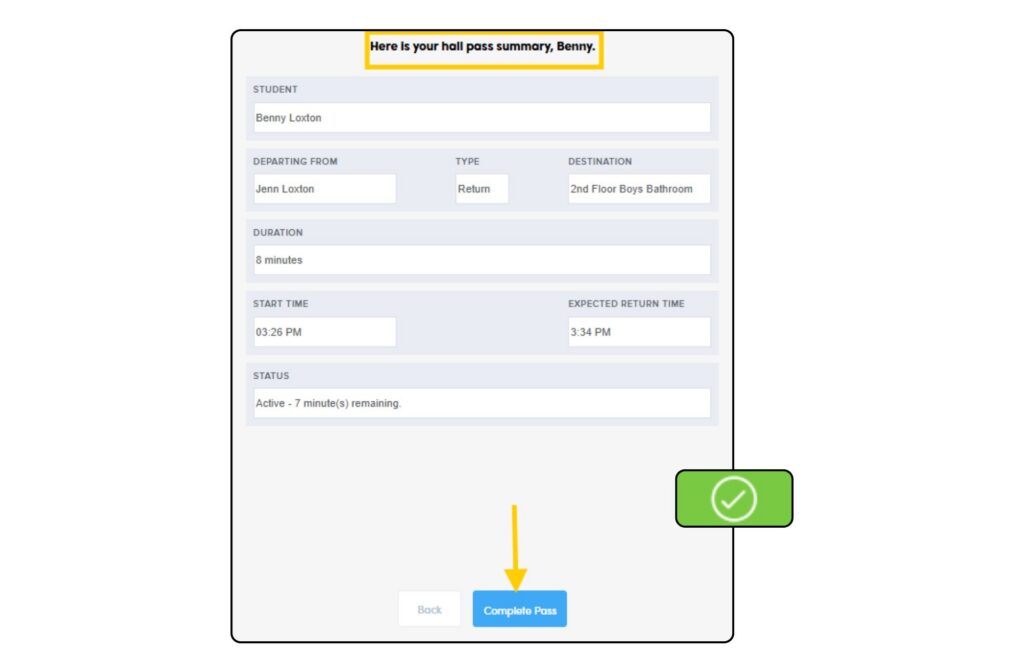
- Review your Pass Summary and click Complete Pass
- Your Hall Pass is now Complete
Creating A Hall Pass Using Pikmykid ID Number
How To Create A Hall Pass
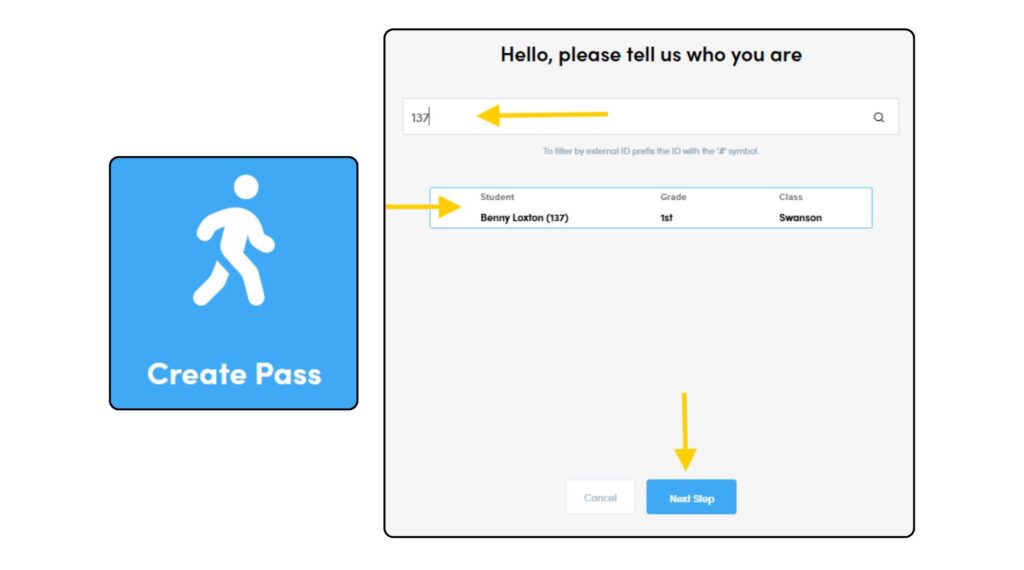
- Select Create Pass
- Type Pikmykid ID Number and click Enter
- Confirm Your Information
- Click Next Step
- Where Are You Going? Click Location
- Click Next Step
- Review your Pass Summary and click Create Pass
- Your Hall Pass is now Active
How To Complete A Hall Pass
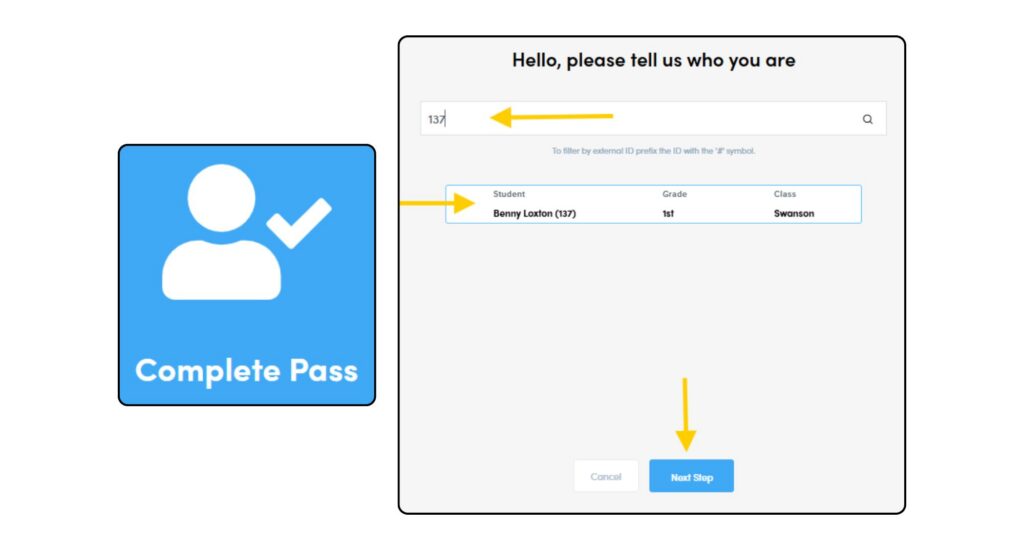
- Select Complete Pass
- Type Pikmykid ID Number and click Enter
- Confirm Your Information
- Click Next Step
- Review your Pass Summary and click Complete Pass
- Your Hall Pass is now Complete
Creating A Hall Pass Using Student Number
How To Create A Hall Pass
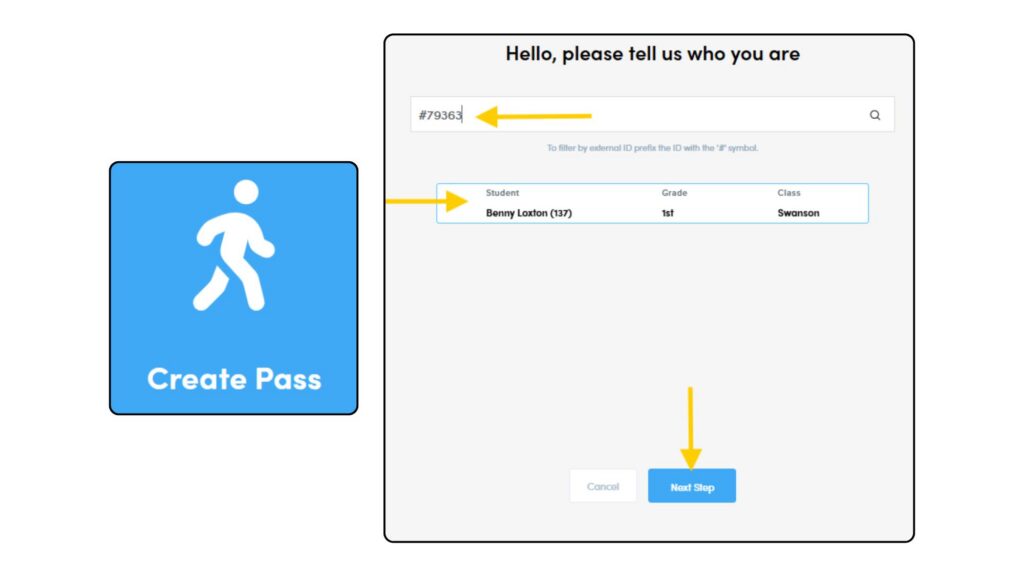
- Select Create Pass
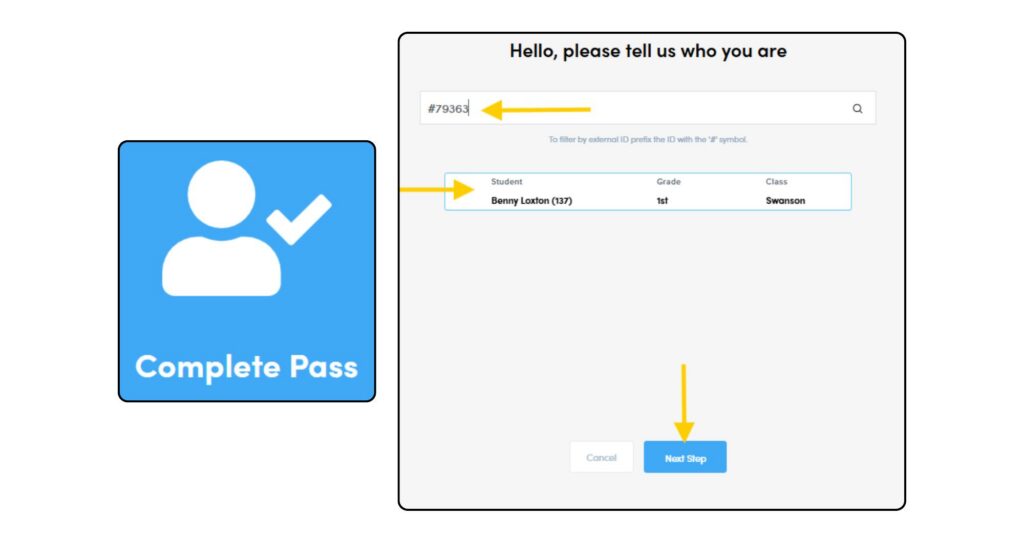
- Type # Student Number and click Enter
- Confirm Your Information
- Click Next Step
- Where Are You Going? Click Location
- Click Next Step
- Review your Pass Summary and click Create Pass
- Your Hall Pass is now Active
How To Complete A Hall Pass
- Select Complete Pass
- Type # Student Number and click Enter
- Confirm Your Information
- Click Next Step
- Review your Pass Summary and click Complete Pass
- Your Hall Pass is now Complete