
Watch The Video
Download PDF
Click here to download a PDF with this information.
Staff Notification
When a reunification is initiated, whether it’s a drill or an actual reunification, staff users will receive both a text and email notification. Staff should verify that their phone number and email address are accurate in their school portal profile. For more information on receiving alerts, please refer to our Emergency Alert System Staff Guide.
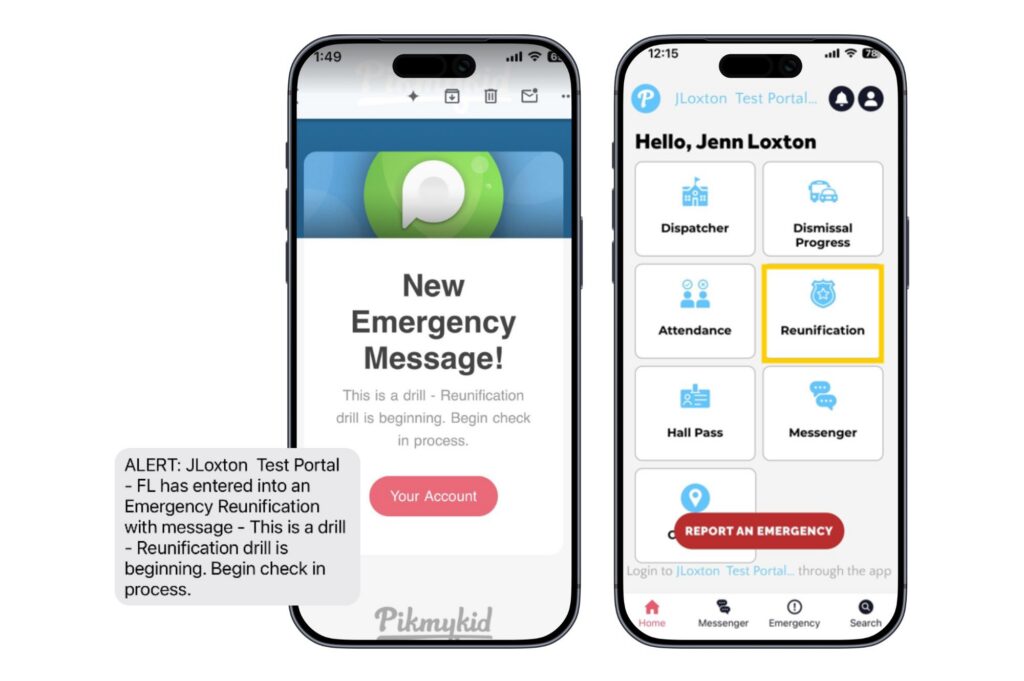
All actions for reunification can be found in the school web portal or through the Pikmykid Staff App.
Student Check-In
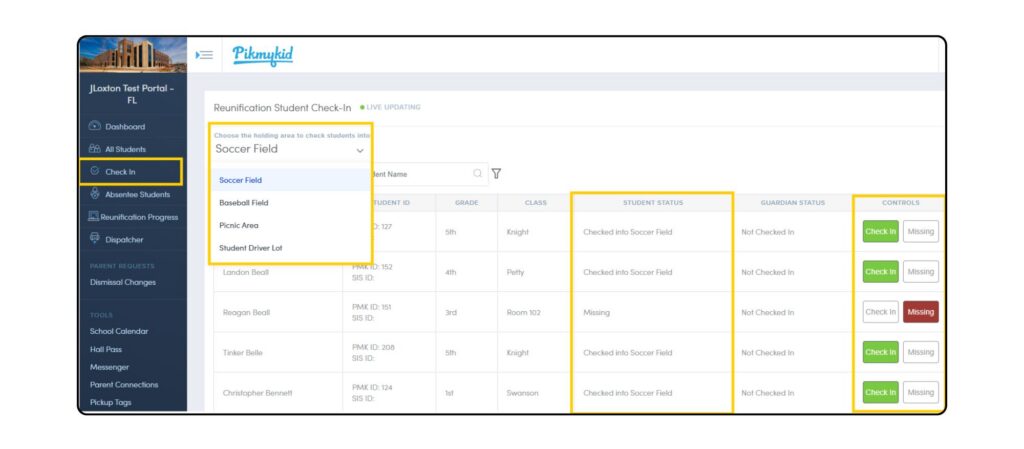
Staff who are responsible for supervising and checking in students will use the Check-In page.
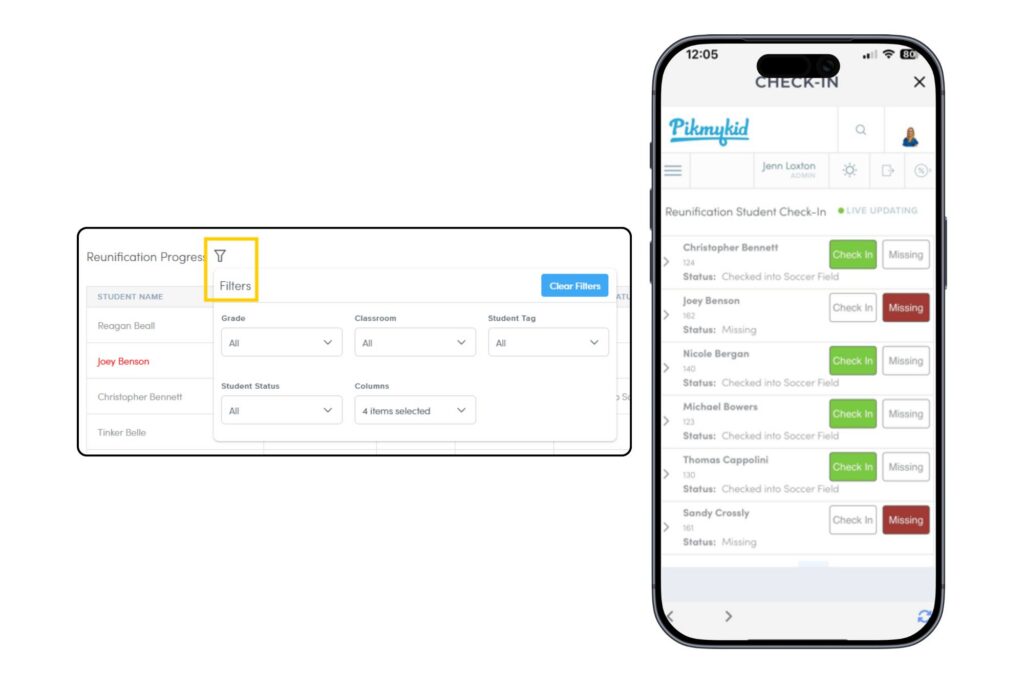
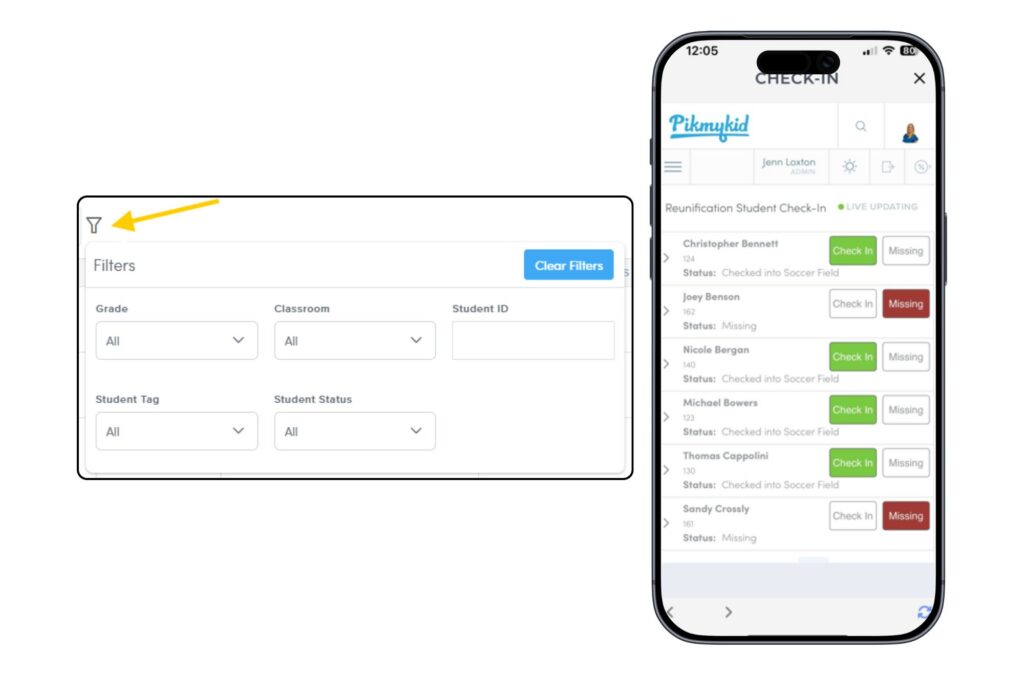
If there are multiple student supervision areas for the reunification process, staff will select the holding area in which they are supervising before checking in students. Staff also have the ability to filter for specific information such as students assigned to their class or grade-level; staff can also search for a student by name.
Students who are present and with the staff member in the supervision area will be marked as accounted for with a green Check-In; students who are not present with the staff member in the supervision area are marked as Missing.
Once staff begin checking in students, the Student Status will update in real-time to show where each student is located. At any time during the process, users will be able to see the student status as it updates.
Guardian Check-In & Verification
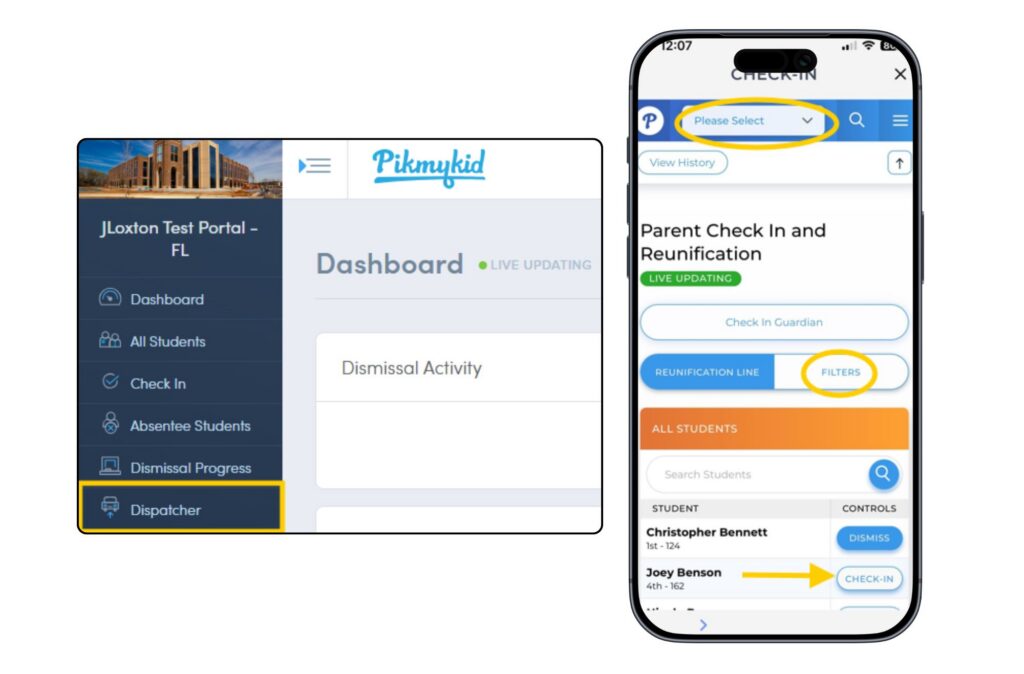
Staff who are responsible for Guardian Check-In and Verification will use the Dispatcher. Along the right hand side of the Dispatcher, staff can use filters to sort student information by guardian status, classrooms, and grade level.
As guardians arrive on campus, staff will Check-In and verify who is there to pick up the student. (Parents can add additional emergency contacts within the Pikmykid Parent App).
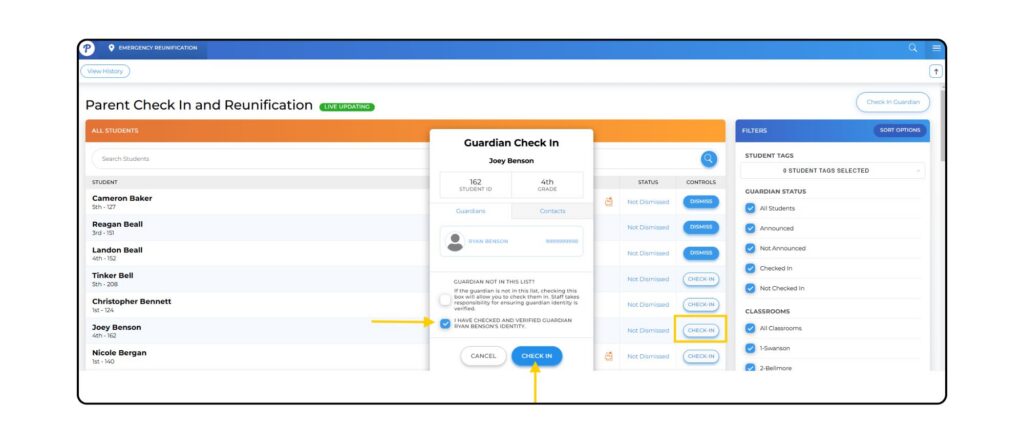
As guardians are being checked in and verified, staff members who are supervising students see live updates on the Check-In page.
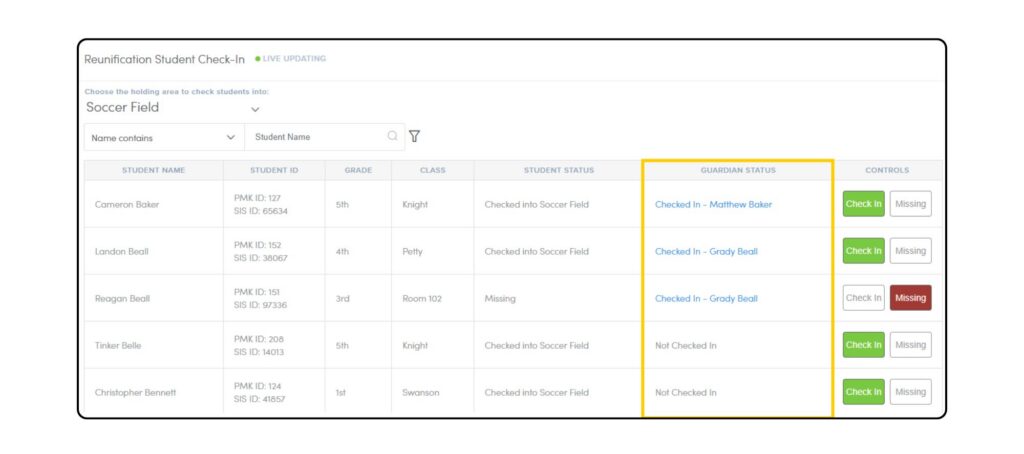
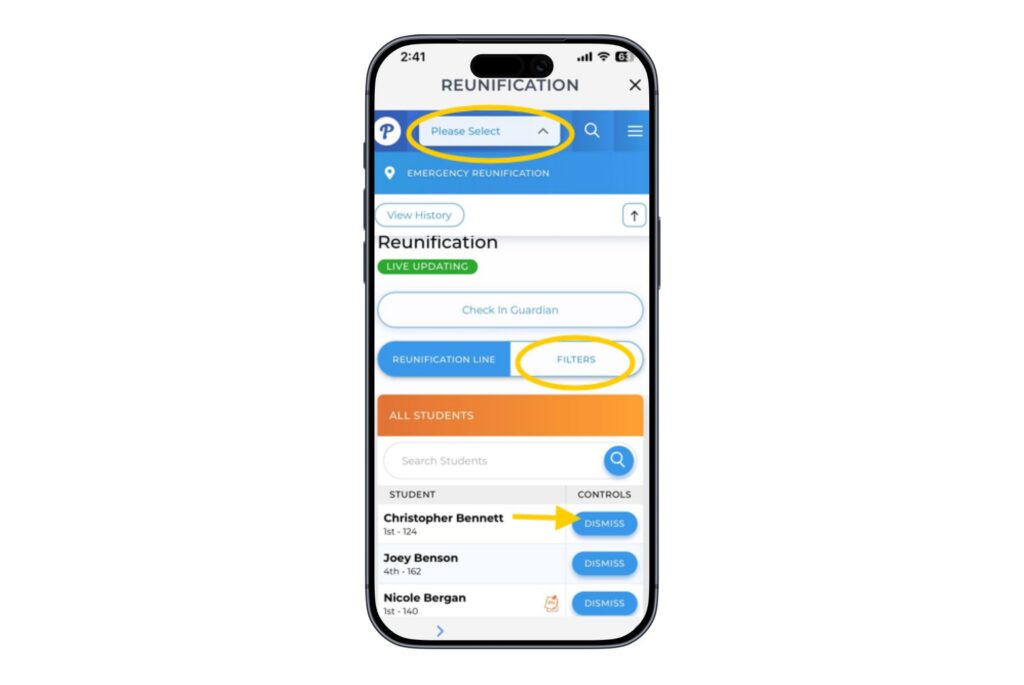
The Check-In & Dispatcher pages are accessible from the school portal and the Pikmykid Staff App.
Student Dismissal
After students have been checked in and accounted for, and guardians have been checked in and verified, students and guardians can be reunited and dismissed from the family waiting area that you’ve created in your reunification plan. Staff responsible for dismissing students to their families will use the Dispatcher. Staff will simply press the Dismiss button as families are reunited, time-stamping exactly when that student was dismissed to the guardian.
During a drill, staff will NOT be able to dismiss students from the portal. This is so the reunification drill does not disrupt other processes for the day (e.g. Dismissal, Hall Pass, etc.).
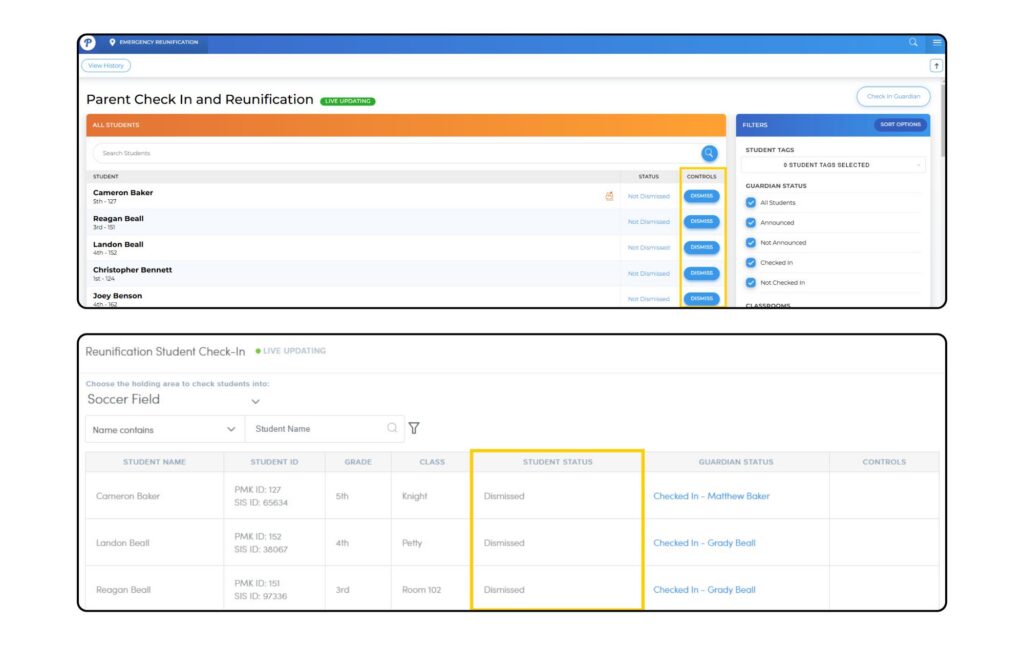
If students were dismissed during an actual reunification process, staff viewing the Check-In page will be able to see status updates as students are dismissed.
Reunification Progress
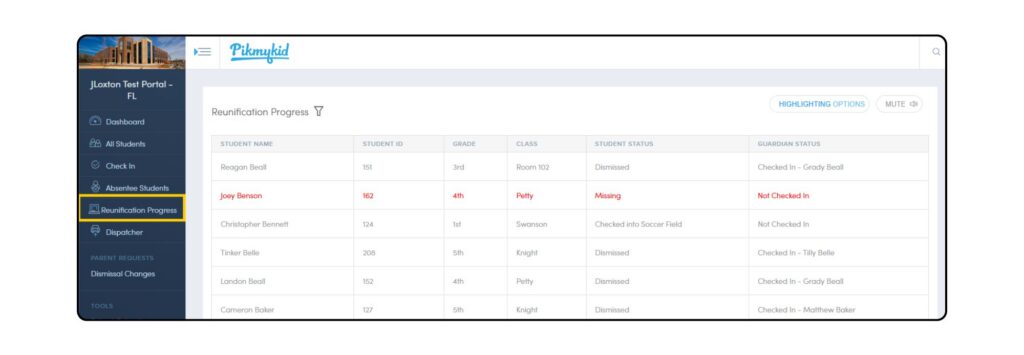
Administrators and staff overseeing the reunification process can access a comprehensive overview of all actions taken during the reunification drill or emergency event from the Reunification Progress page.