

We are excited to share the newest features and updates that will be available in the Pikmykid portal starting April 11, 2026.
What’s New
Hall Pass
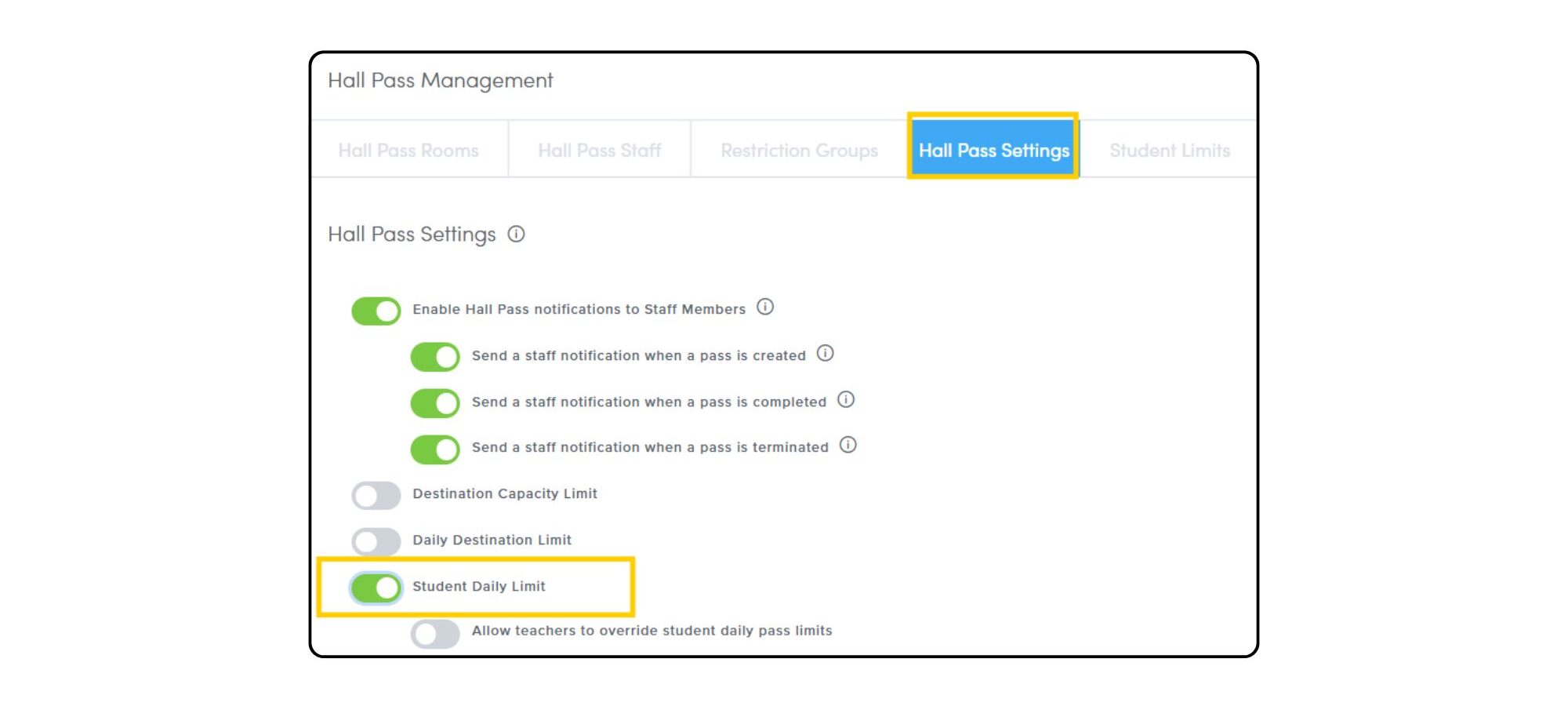
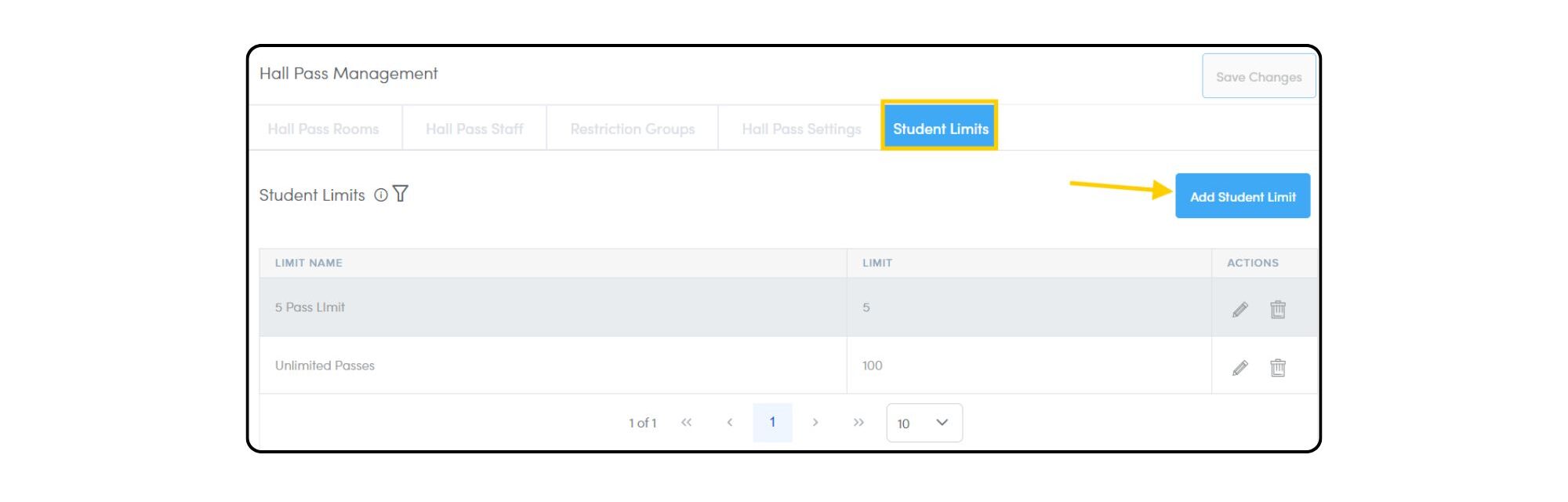
Administrators can now set daily hall pass limits for individual students. This provides schools with enhanced control to meet specific accommodation needs and individualized student management plans. The existing system-wide pass limit will remain the default, and administrators can assign these tailored limits to students as needed.
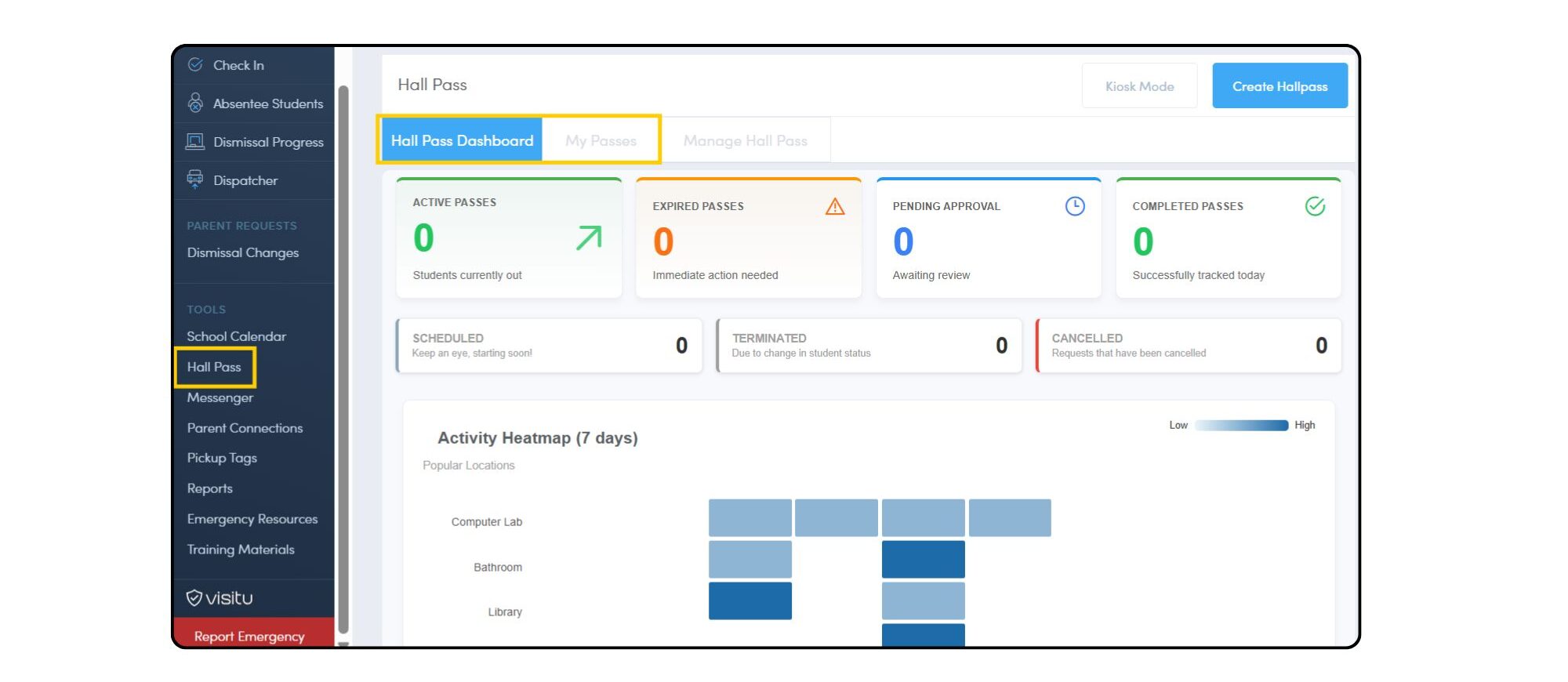
A newly designed interactive Hall Pass Dashboard is now available, offering users a comprehensive overview of hall pass activity, metrics, and data. Users can click on the displayed information for a more in-depth review of activity.
District Administrators can now access the Hall Pass Usage Report directly from the district portal. This feature provides a complete and centralized overview of hall pass activity, enabling comprehensive oversight across the entire district.
Dashboard: Visitor Management Data
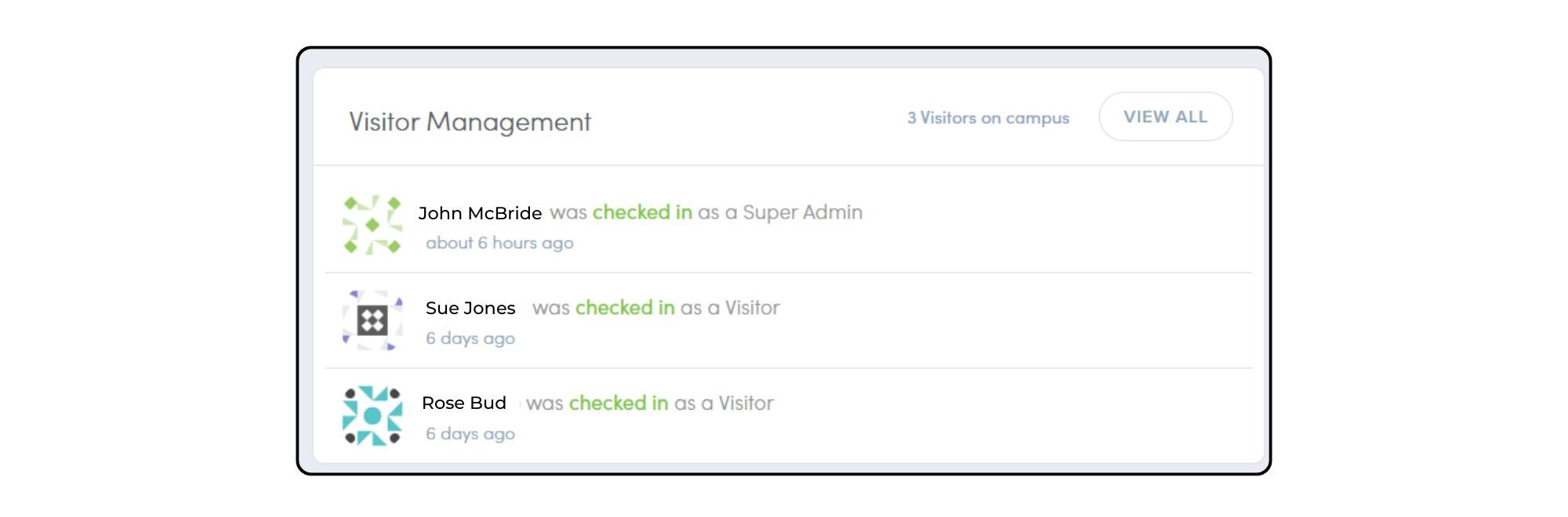
Users who utilize both Pikmykid and Visitu can now access a snapshot of Visitor Management data directly on the PMK dashboard. This integration provides a quick overview of visitors currently on campus and includes an easy link to the Visitu portal for a more detailed review of the information. For schools using Reunification, this dashboard view will continue to be accessible during the reunification process.
Email Notifications
Primary and secondary guardians will now receive all email notifications (including dismissal, absentee, pickup mode, and early dismissal) regardless of their parent app registration status. To enable these notifications, first ensure an email address is listed for the primary and secondary guardians within the student profile. Admins should also review their notification settings under Settings Wheel > General > Dismissals and General > Parents.
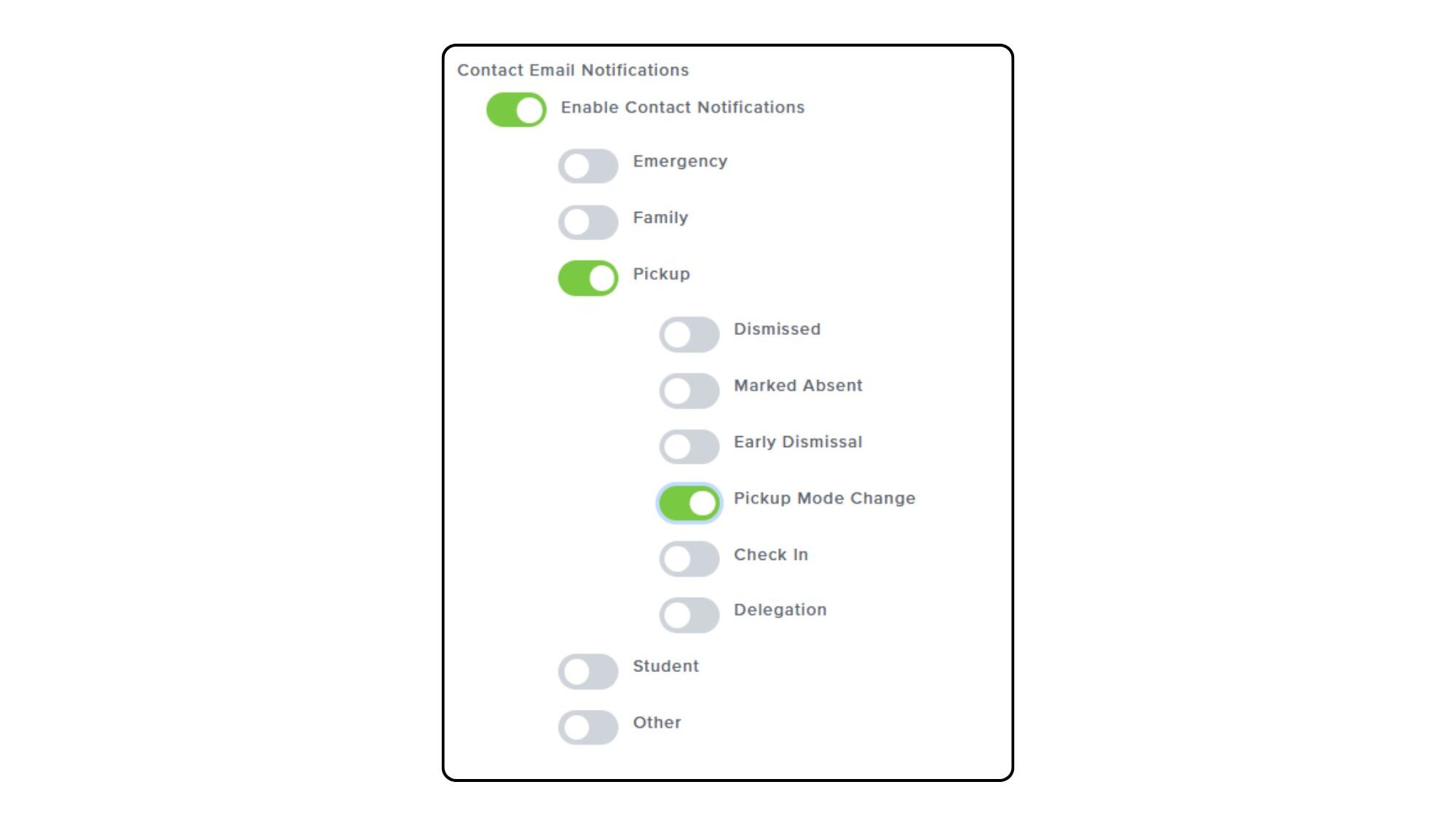
Additional student contacts can also receive email notifications. This feature gives school administrators the control to send email notifications (such as dismissal, absentee, or pickup mode alerts) to non-guardian student contacts. Admins can customize notification types on a per-contact basis. Click on the Settings Wheel > General > Parents to enable these notifications.
What’s Updated
OTP Codes
The delivery time for the One Time Passcode (OTP) email notification has been improved, resulting in faster delivery times. Please refer to our March Feature Release for more information on OTP codes.
Staff Profiles
When manually adding a Staff User, administrators are no longer required to create a password. Upon profile creation, the staff member will receive an email to securely claim their account and set their own unique password. *Schools that use a data integration method should continue to add staff users directly into their SIS.
Parent Requests: Dismissal Changes
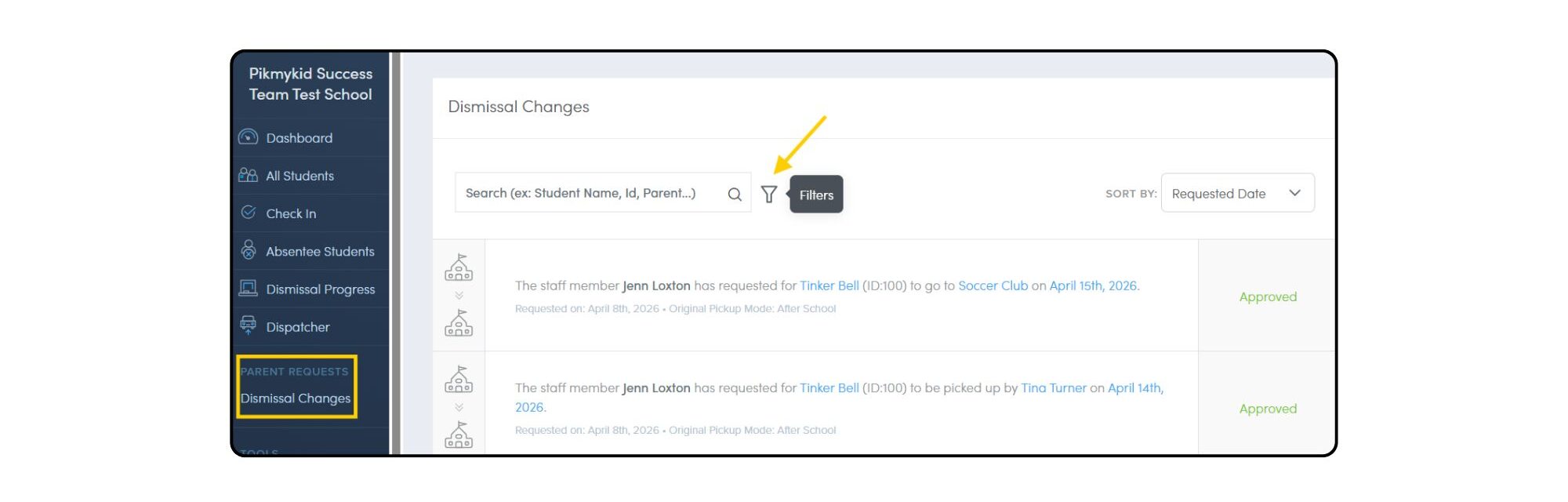
School users will notice a new layout on the Parent Requests: Dismissal Changes page. While there is no change to the underlying functionality, the updated design includes a filter icon at the top for easy sorting and a ‘Results Per Page’ option at the bottom to enhance viewing and navigation.
Questions? Please reach out to our team at [email protected].