

We are pleased to announce upcoming enhancements that will be released in the Pikmykid Portal starting February 14, 2026.
What’s New
Hall Pass
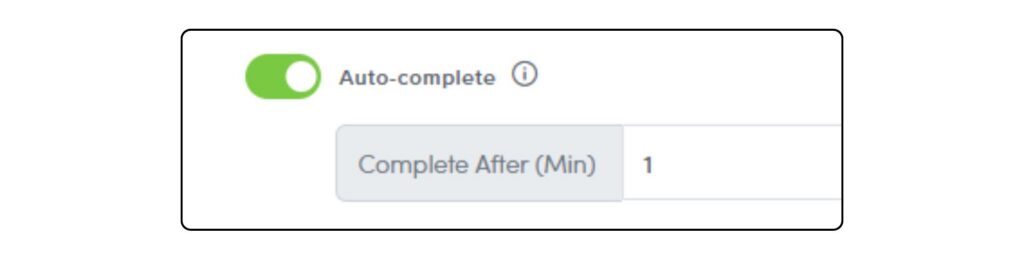
NEW Schools using our digital hall pass system can now enable auto-completion of passes. When turned on, the system will automatically mark passes as complete after a designated time, configurable by an administrator in the portal. School admin can access this setting by navigating to: Settings Wheel > Hall Pass > Hall Pass Settings.
Bulk Editing Options
NEW School Admin users will notice additional options for bulk updating bus route information – including being able to remove multiple students from routes at once – something that previously had to be done individually for each student – making it easier to manage and adjust route information. Users will notice easy-to-follow prompts when updating bus route information, helping to ensure that all students have their pickup mode updated correctly – reducing errors, saving time and keeping transportation records accurate. To make updates to bus routes, go to the Settings Wheel > Bus Routes.


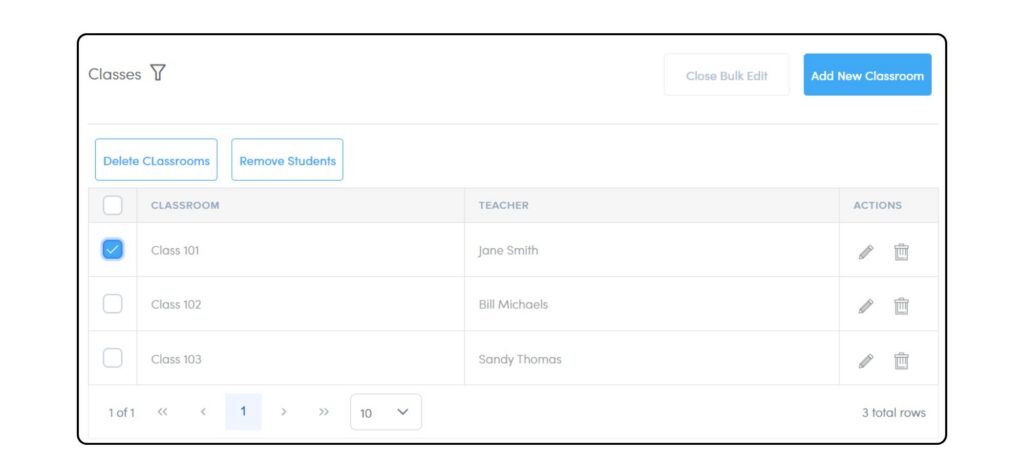
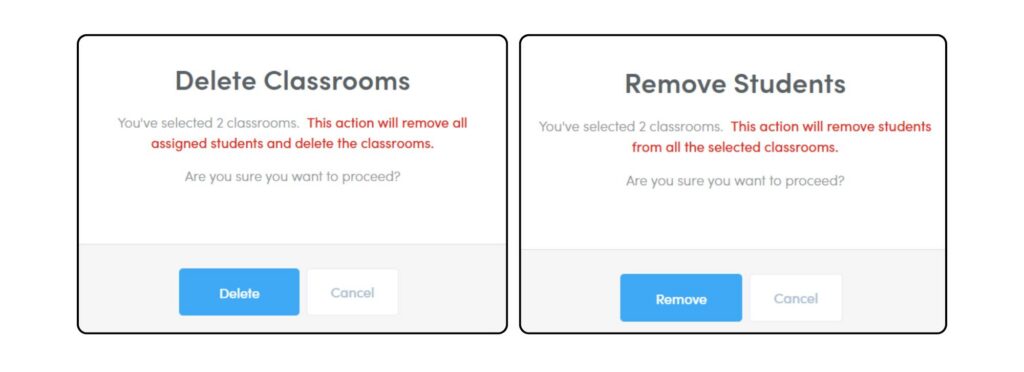
NEW School Admin users will also be able to bulk edit classrooms, enabling them to bulk delete classrooms or remove students in bulk, making it faster and easier to keep classroom information up to date. To bulk edit classrooms, click on the Settings Wheel > Classroom > Bulk Edit.
* Removing students from a class will not remove them from the system. However, those students who are removed will need to be assigned to a new classroom (All Students > Bulk Edit > Update Classrooms OR through a data automation).
Reports
Reports have been updated to display the total number of items at the bottom of each report, making it easier for users to see the total records displayed in a single report.
NEW To help streamline workflow and save time, column selections in reports will now be saved automatically for each staff user – even when navigating away from the page – so their preferences are retained when viewing individual reports.

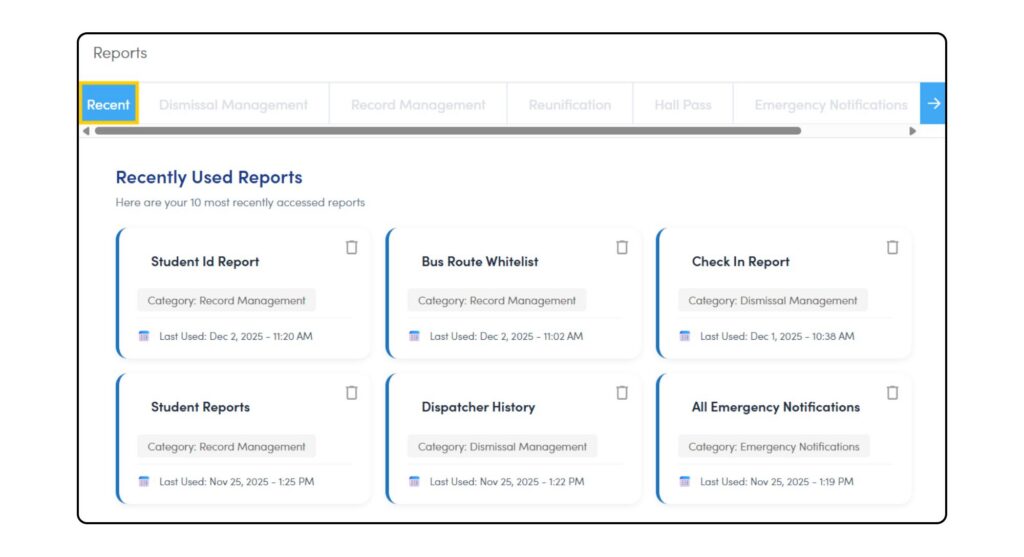
NEW Staff users can now access their most recently viewed reports. The 10 most recent reports will be displayed, and selecting one will take the user directly to that report with their previous input automatically applied – helping them work more efficiently and pick up right where they left off.
Reunification Reporting
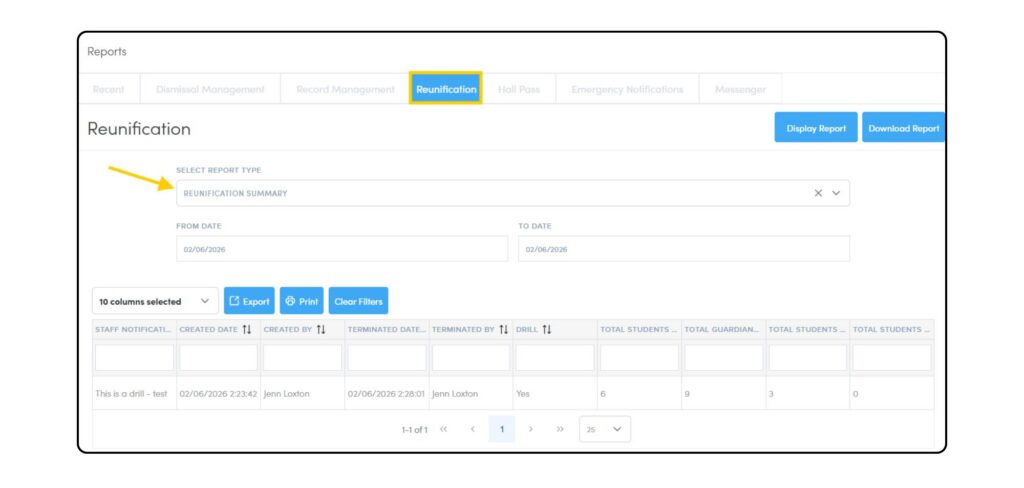
NEW A Reunification Summary report is now available, providing schools with an at-a-glance view of completed reunification data for review and accurate record-keeping.
Messenger & School Messaging
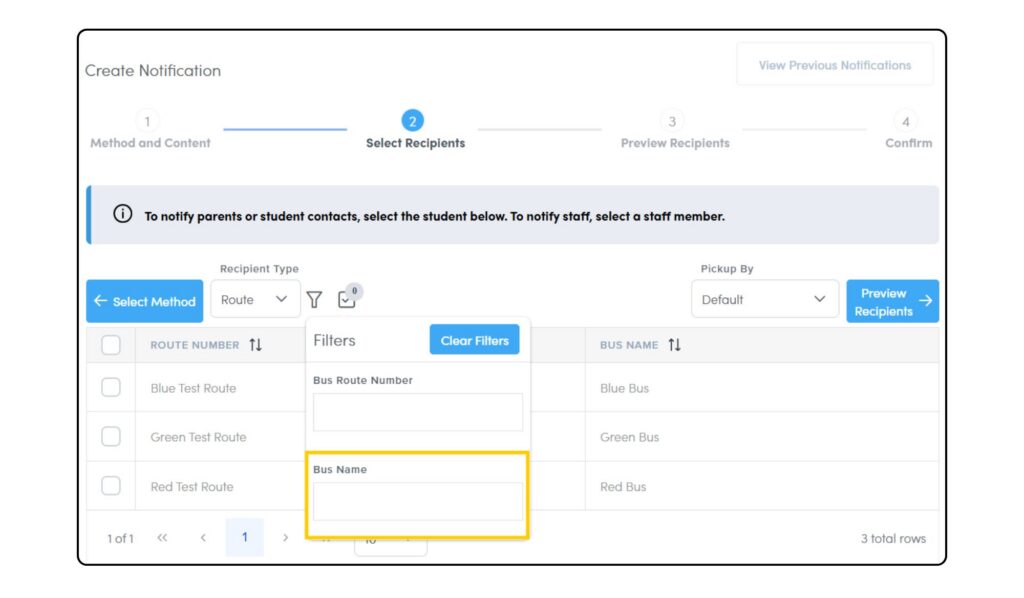
NEW A Bus Name Filter on the Select Recipients page makes it easier for schools to reach specific student groups with their messages.
Student Contacts
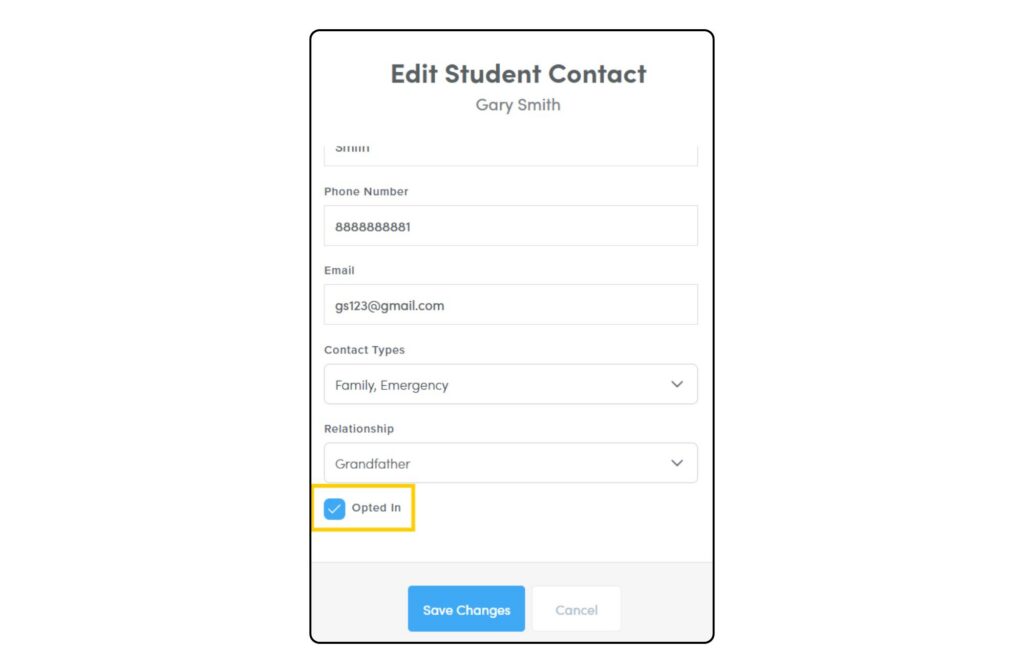
NEW Student contacts imported via API are now automatically “opted in” to receive communication, making it easier for schools to connect with guardians and families.
API Staff Data
NEW Schools now have the ability to have staff phone numbers updated when an API sync has run. For more information, please email our team at [email protected].
Pikmykid SMS Alert Updates
For schools using the Emergency Alert System, Emergency Reunification, and/or messaging tools, please note there has been an update to the short code number used for SMS (text message) notifications.
- 317065 (SMS/Text Messages)
- 833-429-9698
- 844-969-0450
- 844-969-0451
* To help ensure calls are delivered successfully please keep your Pikmykid phone contact up to date with the numbers saved, as well as check your carrier specific spam filters that may be enabled. Running monthly drills will also ensure all staff are up to date on settings!
Check In Page Updates
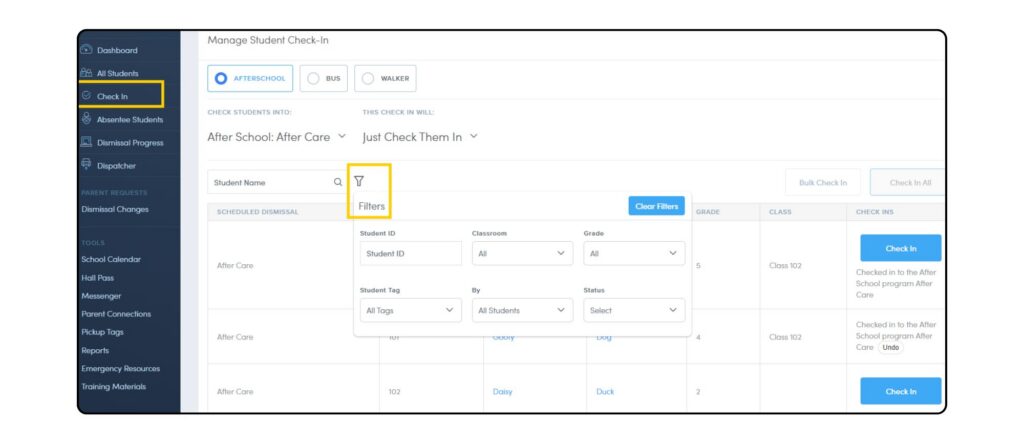
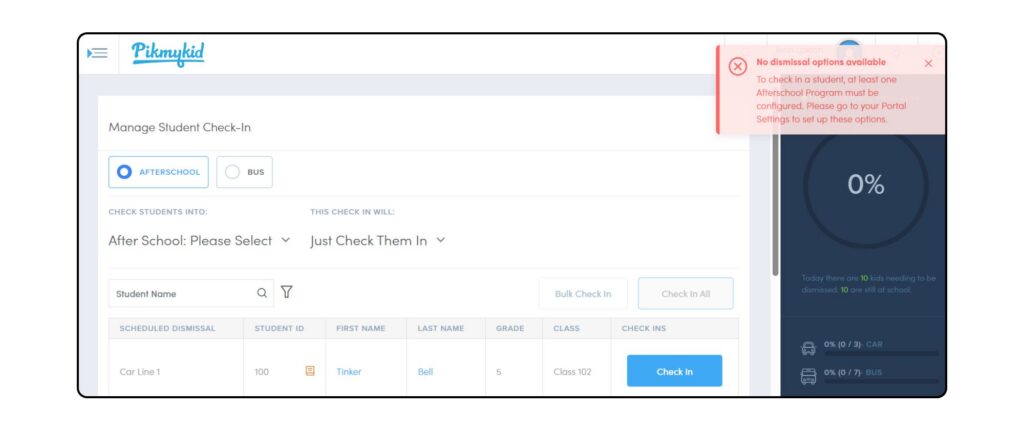
Users will notice the Check In page features a refreshed layout, including an updated filter icon that still makes it easy to sort information. The functionality of the page remains the same – staff can still “just check in” students to an after school program, walker line, or bus line to indicate the current location, or select “change pickup mode” to update the student’s dismissal method on the calendar. When using the “change pickup mode” option for a student with a delegation in place, the delegation will remain the pickup for that day, keeping pickup information consistent.

In addition, a clear concise error notification will appear if staff attempt to check in a student before an After School program, Walker Line, or Bus Route has been configured in the portal settings. This notification guides staff through the proper next steps to use the check-in page successfully.
Updated Portal Filters
When staff use filter options in features like Configure Kiosk, Create Hall Pass, Student Tags, or Restriction Group student selection, they will now see a separate list of the students they’ve selected while adjusting filters, making it easier to manage and track those selections.

Questions? Email our team at [email protected].