

We are excited to announce that these enhancements are now available in the Pikmykid Portal!
Student Tags
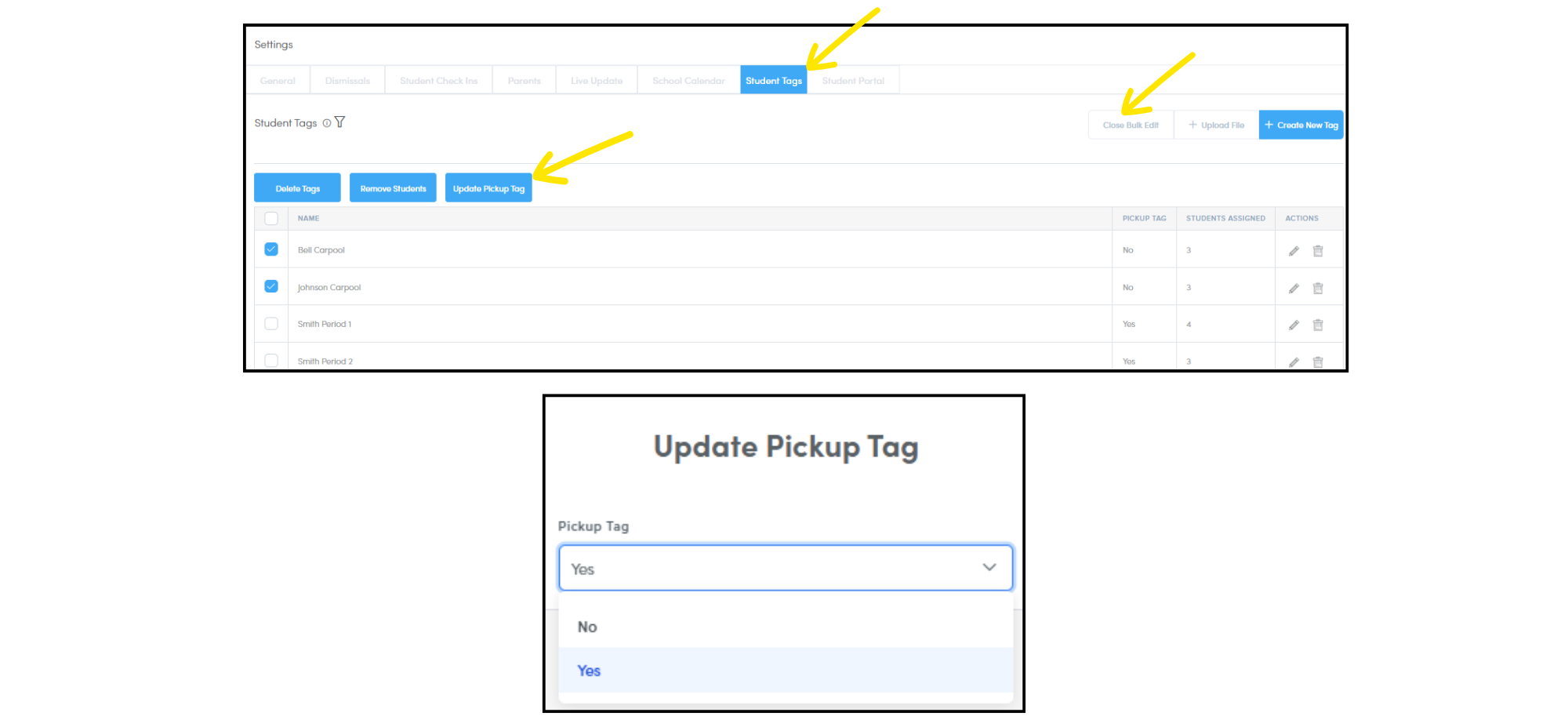
NEW Student Tags allow staff to easily organize and filter student groups by criteria like class periods, carpool groups, and more. Admin users can now bulk update student tags as pickup tags, which streamlines the tag creation process.
Reunification
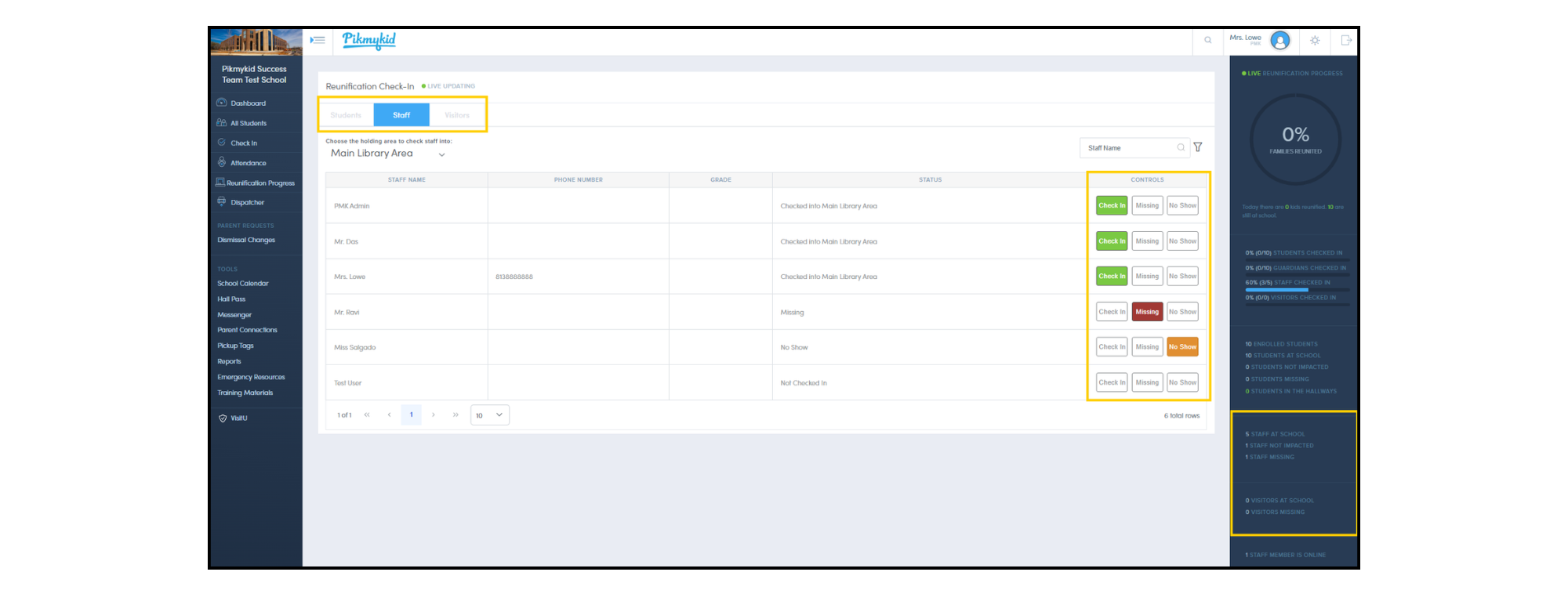
NEW At check-in, Staff can now be formally accounted for and verified during reunification drills and active events. For schools using Visitor Management, visitors are also accounted for in real time, giving administrators complete visibility into everyone on campus. Check-in data is easily accessible via the check-in page, the live reunification progress view, or in post-event reports.
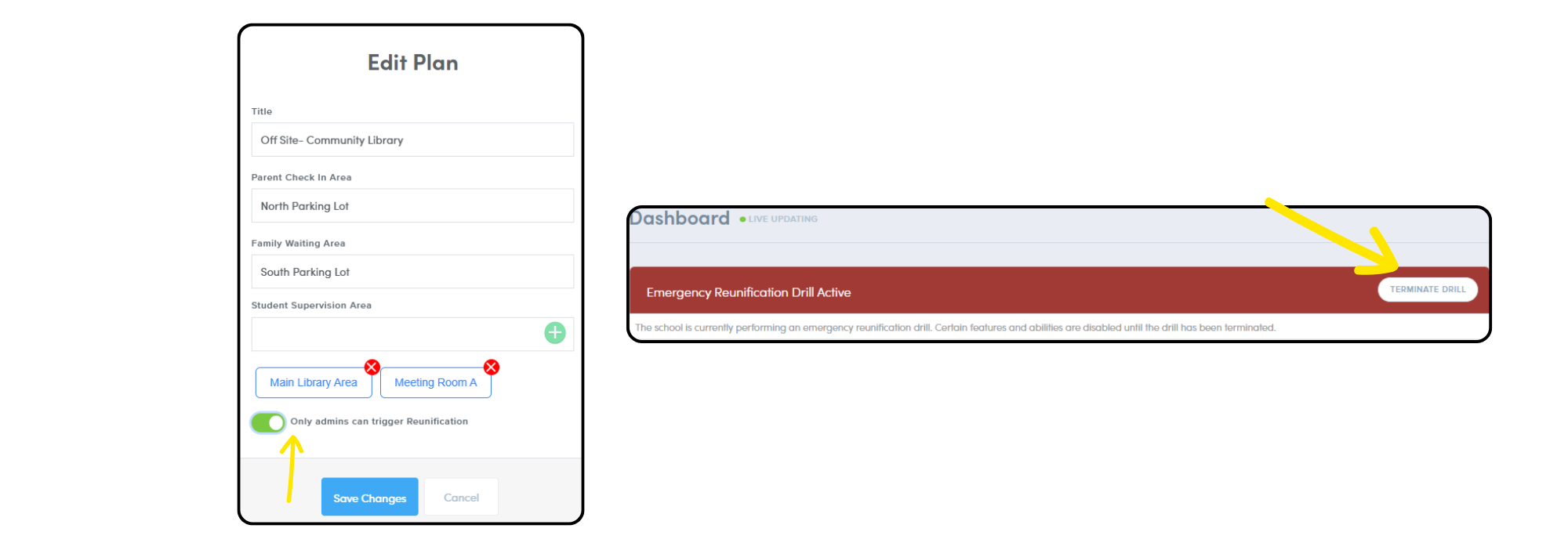
NEW We have enhanced control over the reunification process: plans can now be designated as ‘Admin Only’, limiting visibility to non-admin users. Additionally, only admin users can terminate reunification drills and active events.
Guardian Verification
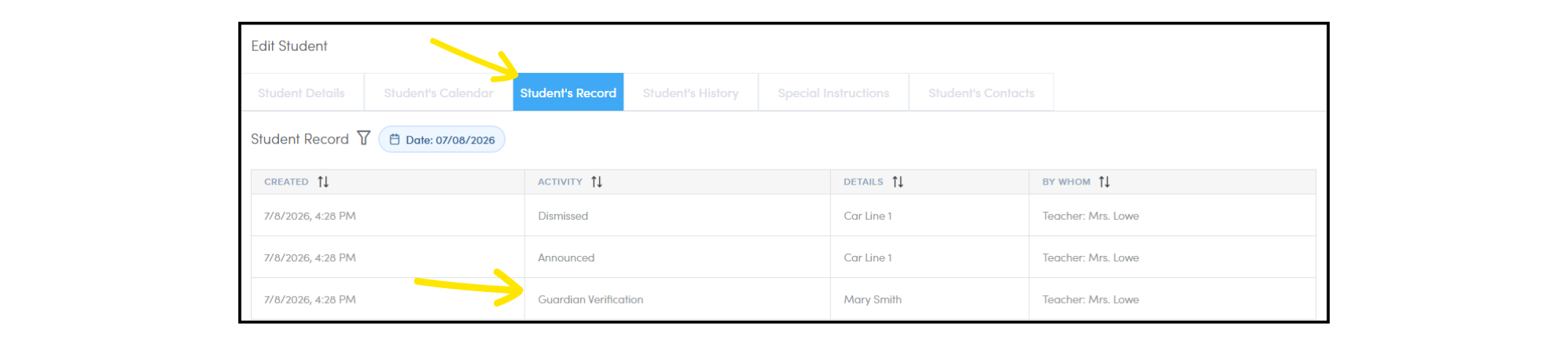
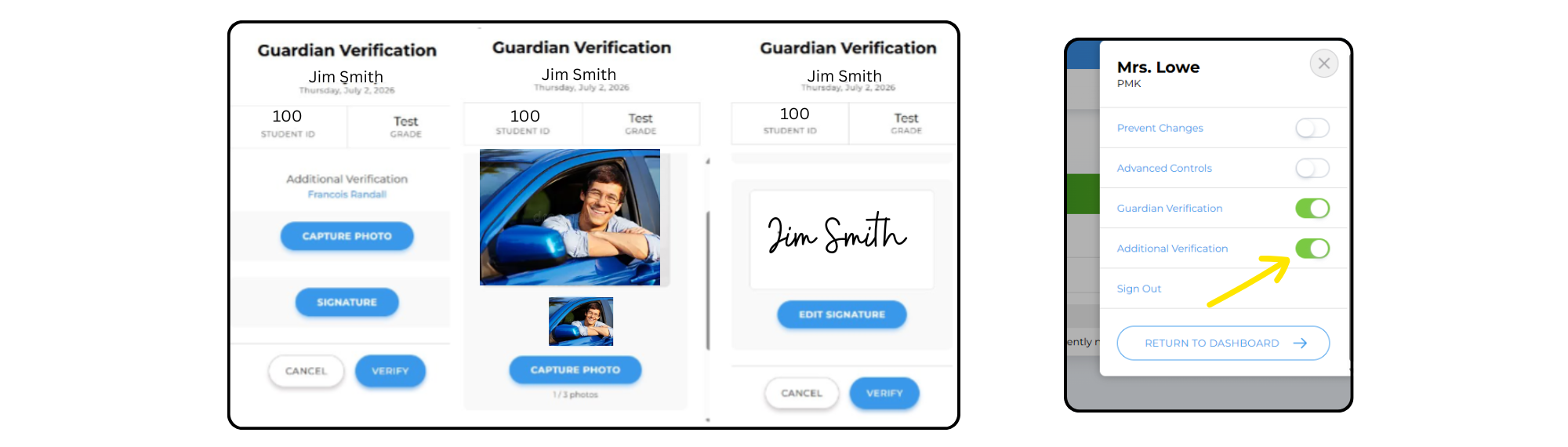
NEW Staff can now view Guardian Verification history for dismissal and/or reunification within the student record.
NEW Dispatchers can now capture photos and/or signatures as additional verification during the guardian verification process; this information can be reviewed directly within the student record. This feature can be during dismissal and reunification.
Attendance
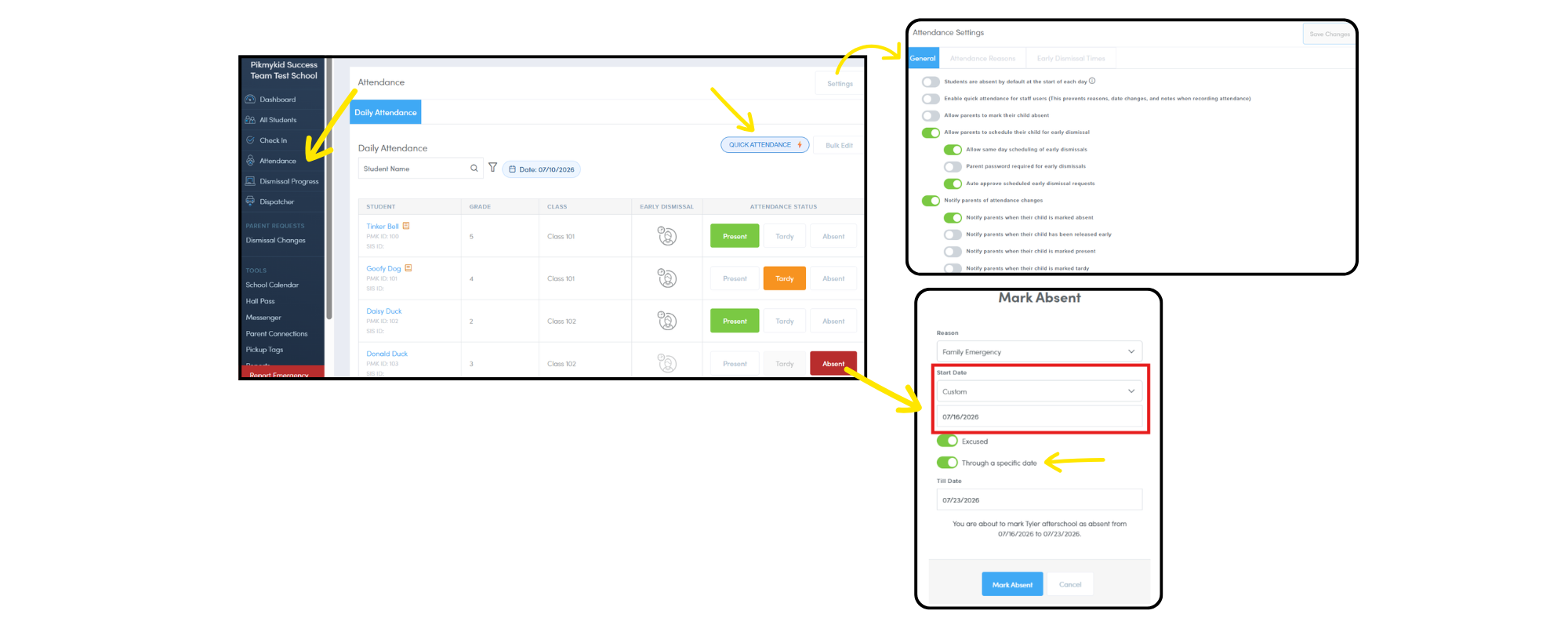
NEW We have merged the Roll Call and Absentee Students page into a single, streamlined Attendance page. From this page, staff can now:
- Mark students tardy
- Record future absences
- Enable “Quick Attendance” (no reason required)
- Manage attendance settings, including managing reasons and default settings (Admin only)
District Portals
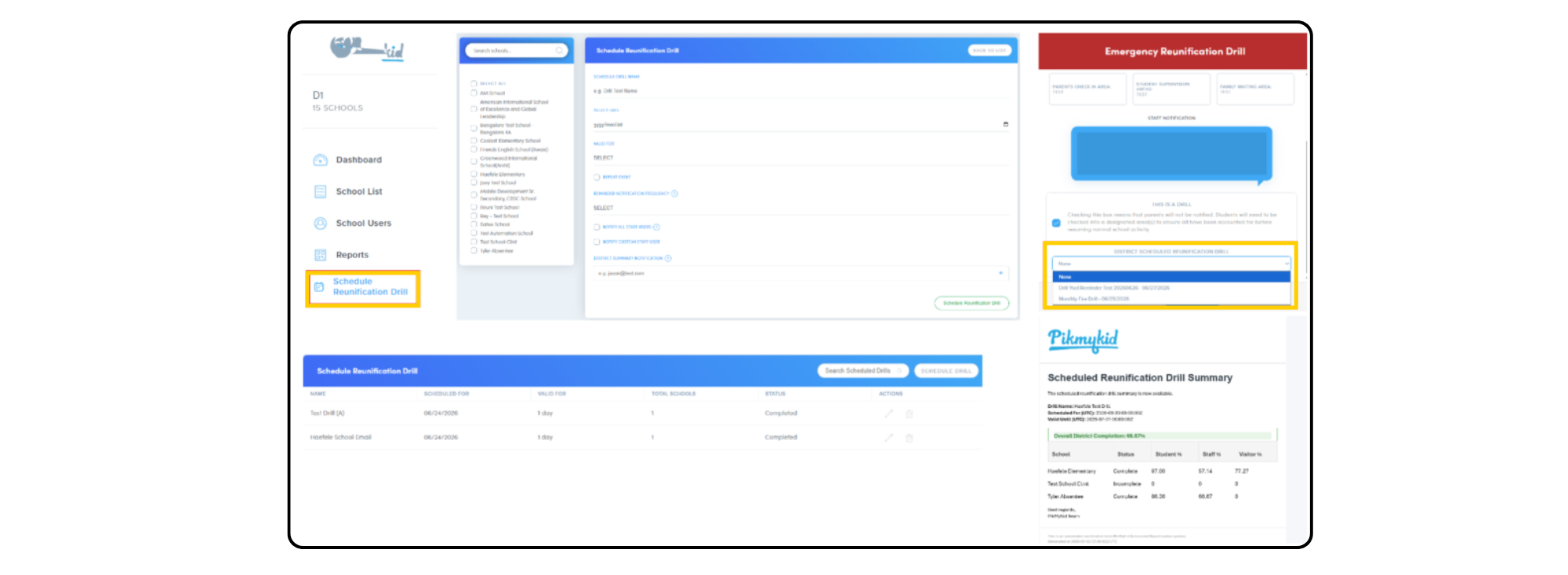
NEW District users can now schedule reunification drills for selected schools. Once the drill window has passed, administrators will receive a summary notification to review school compliance.
Key Features:
- Flexible Scheduling: Set validity windows and recurrence patterns.
- Custom Notifications: Customize recipients for both reminders and final summary notifications.
School Workflow:
To ensure reunification activities are properly linked to compliance reporting, school users must enable the “This is a drill” option and select the corresponding scheduled drill when initiating a reunification.
UPDATED Report generation for district users now runs in the background, so users can continue working without waiting. An email notification will be sent when the report is complete and ready to download.
Questions? Email our team at [email protected]