

June 15, 2026
Users will notice these kiosk updates beginning June 15, 2026.
Touch-free configuration has been enhanced to make attendance tracking more streamlined in touch-free kiosk mode.
Enhancements to mobile attendance submissions provide a more seamless experience when confirming attendance events via the kiosk.
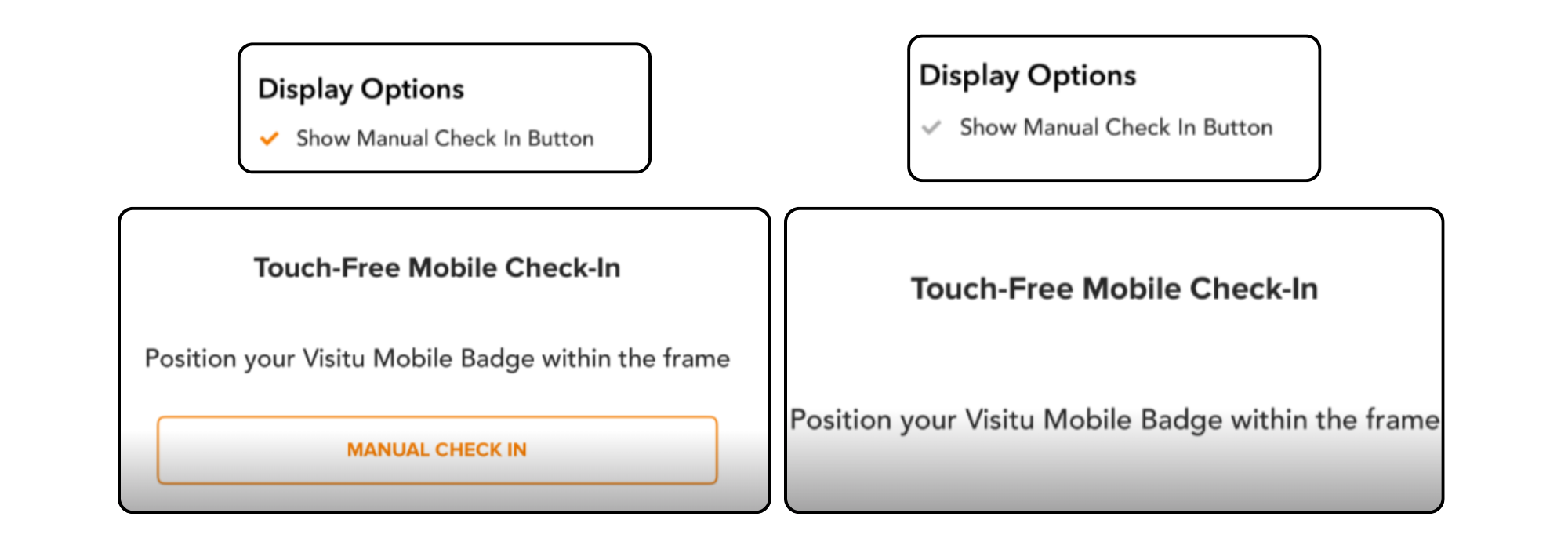
NEW! Schools can now choose whether to allow Manual Check-In when configuring Touch-Free Kiosk Mode by enabling or disabling the setting as needed.
June 5, 2026
Visitu Portal Updates
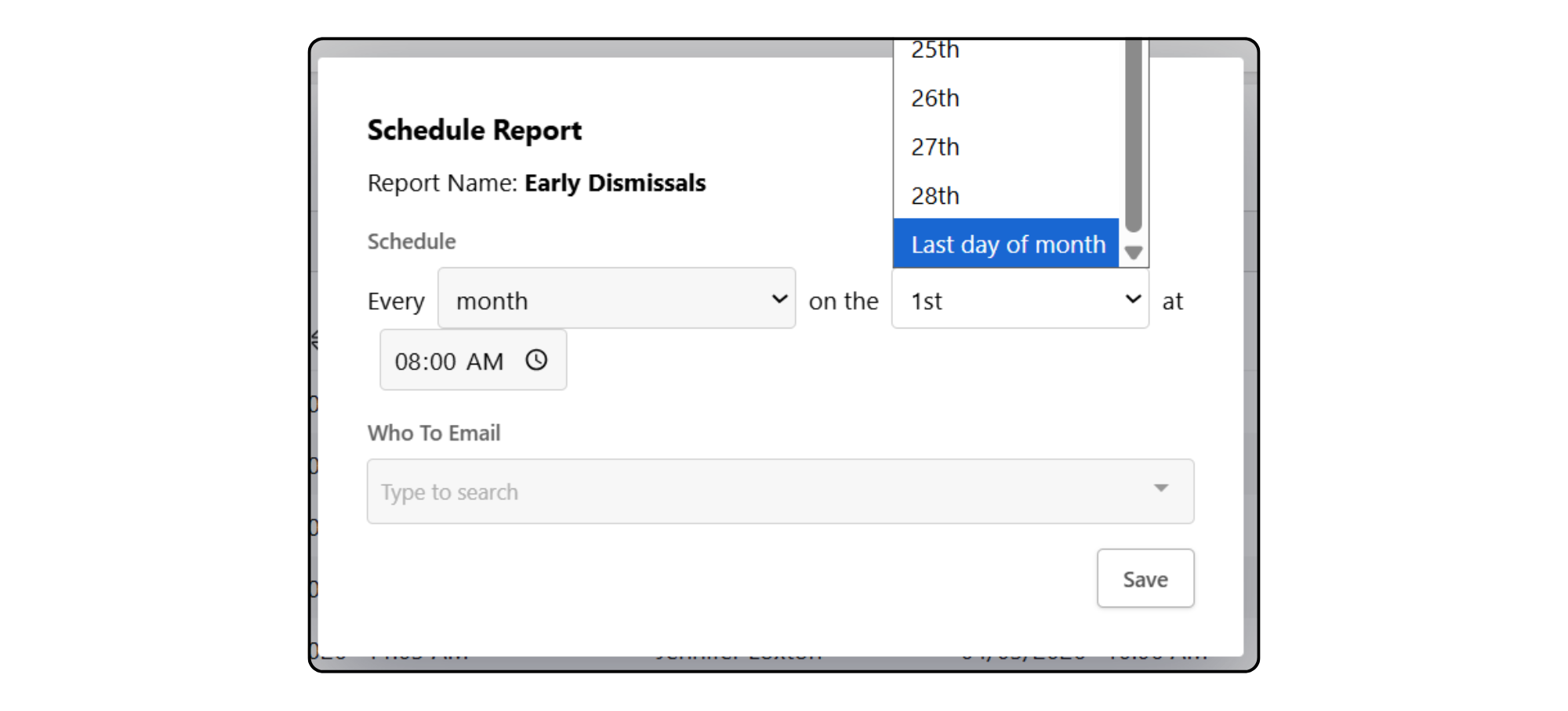
Date and time accuracy has been improved throughout the system, providing more precise tracking of attendance submissions, report generation, and other customized actions. These updates also allow users to schedule reports to automatically run on the last day of the month.
User report generation has been optimized to deliver faster results and more timely notifications when reports are ready to download.
Updates to the PowerSchool integration include improved role settings for parent-student relationships and a more streamlined attendance confirmation experience.
Enhancements to badge printing provide a faster, more seamless experience, ensuring images display consistently even during periods of high system activity.
The dashboard user search has been refined to deliver more relevant user results.
April 30, 2026
Visitu Kiosk v3.8.0
These updates will begin rolling out on April 27th and will be fully available by April 30th.
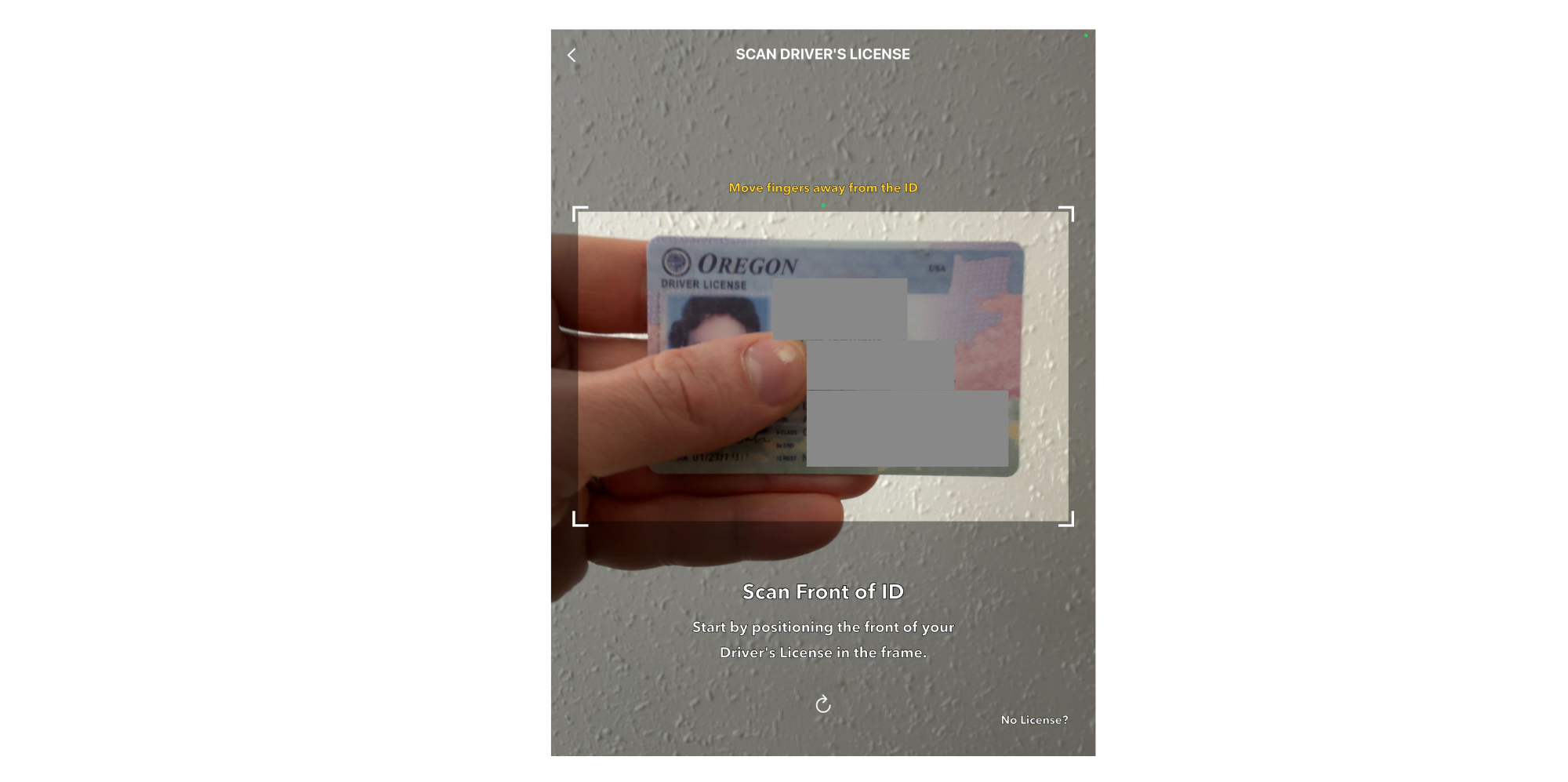
Scanning driver’s licenses is now faster and smoother, especially on iPad models that support the use of the front-facing camera. We’ve also added helpful new on-screen tips like “Move closer,” “Move fingers away from the ID,” and “Adjust angle” to make getting a high-quality scan super quick and easy.
The prompt for visitors to type in an employee host on the Purpose of Visit screen has been updated from “Please type the employee name” to “Meeting someone?” for improved clarity. Once selected, the visitor can easily enter the name of the staff member they are on campus to see. 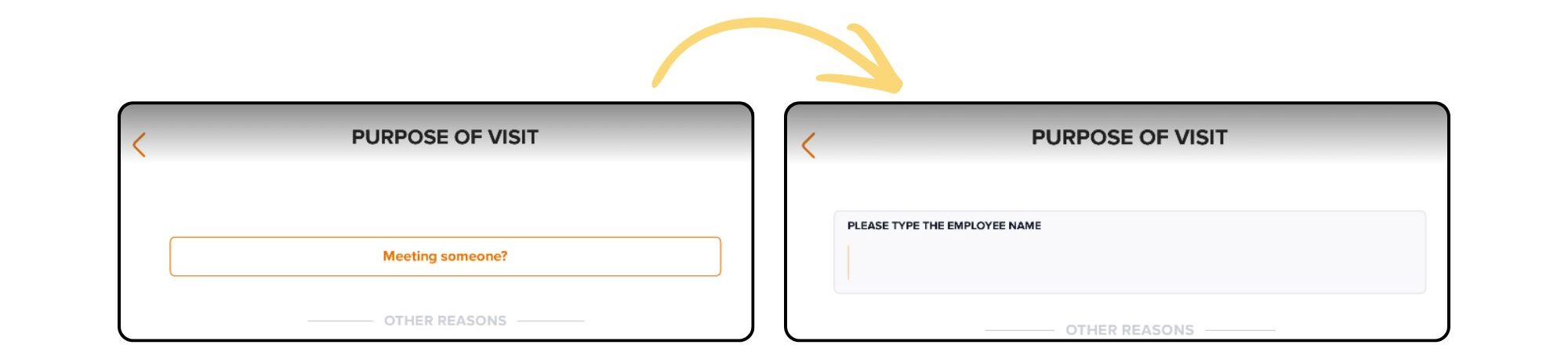
April 18, 2026
NEW! Users who utilize both Visitu and Pikykid can now access a snapshot of Visitor Management data directly on the Pikmykid portal dashboard. This integration provides a quick overview of visitors currently on campus and includes an easy link to the Visitu portal for a more detailed review of the information. For schools using PMK Reunification, this dashboard view will continue to be accessible during the reunification process.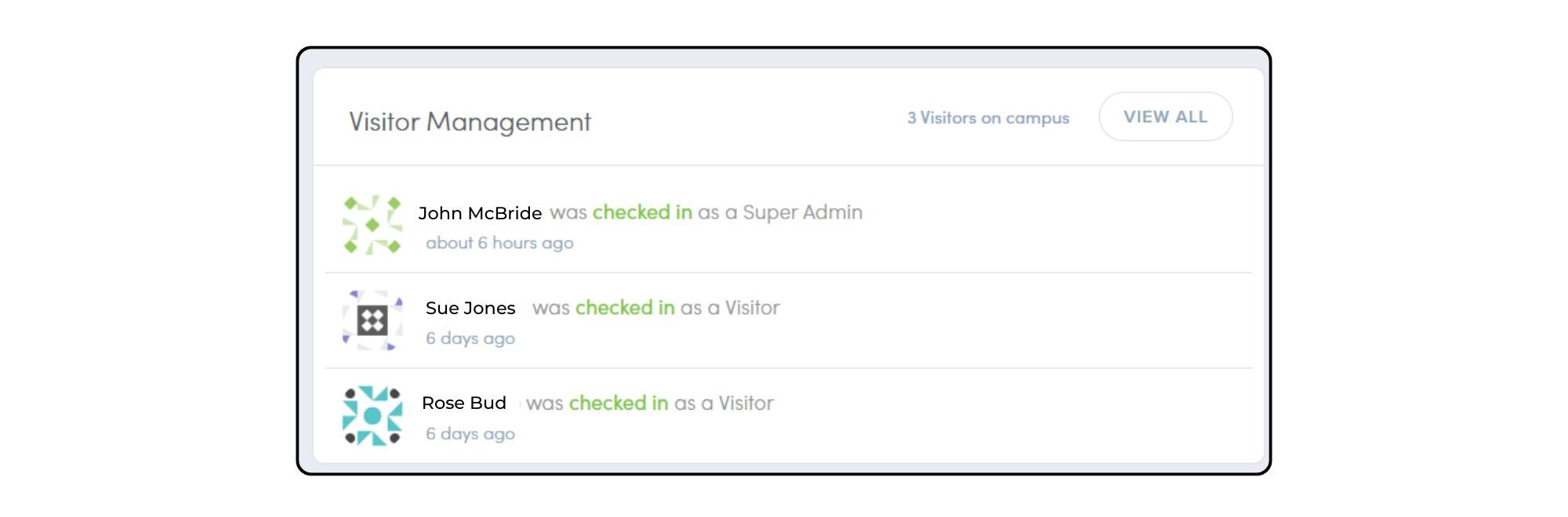
NEW! We can now write back period attendance for schools using PowerSchool as their data integration, giving schools a more complete, real-time view of student attendance.
NEW! Roles tied to attendance reasons are now notified via the mobile app when a student is scheduled to be tardy, absent, or early dismissed, improving visibility into attendance activity.

*Users may notice a new short code, 317065, when receiving text messages.
NEW! Dashboard users can now bulk confirm attendance. This update streamlines attendance management, allowing dashboard users to confirm multiple entries at once — saving time and reducing manual effort. 
NEW! When using the kiosk for attendance check-in and check-out, attendance time can be overwritten via a dashboard setting to reflect the actual time the action occurred, improving accuracy in record keeping. To enable this setting, go to Settings > Attendance.
NEW! Users can now add visitors to the Safe List directly from their profile, helping streamline workflows while keeping records accurate and up to date.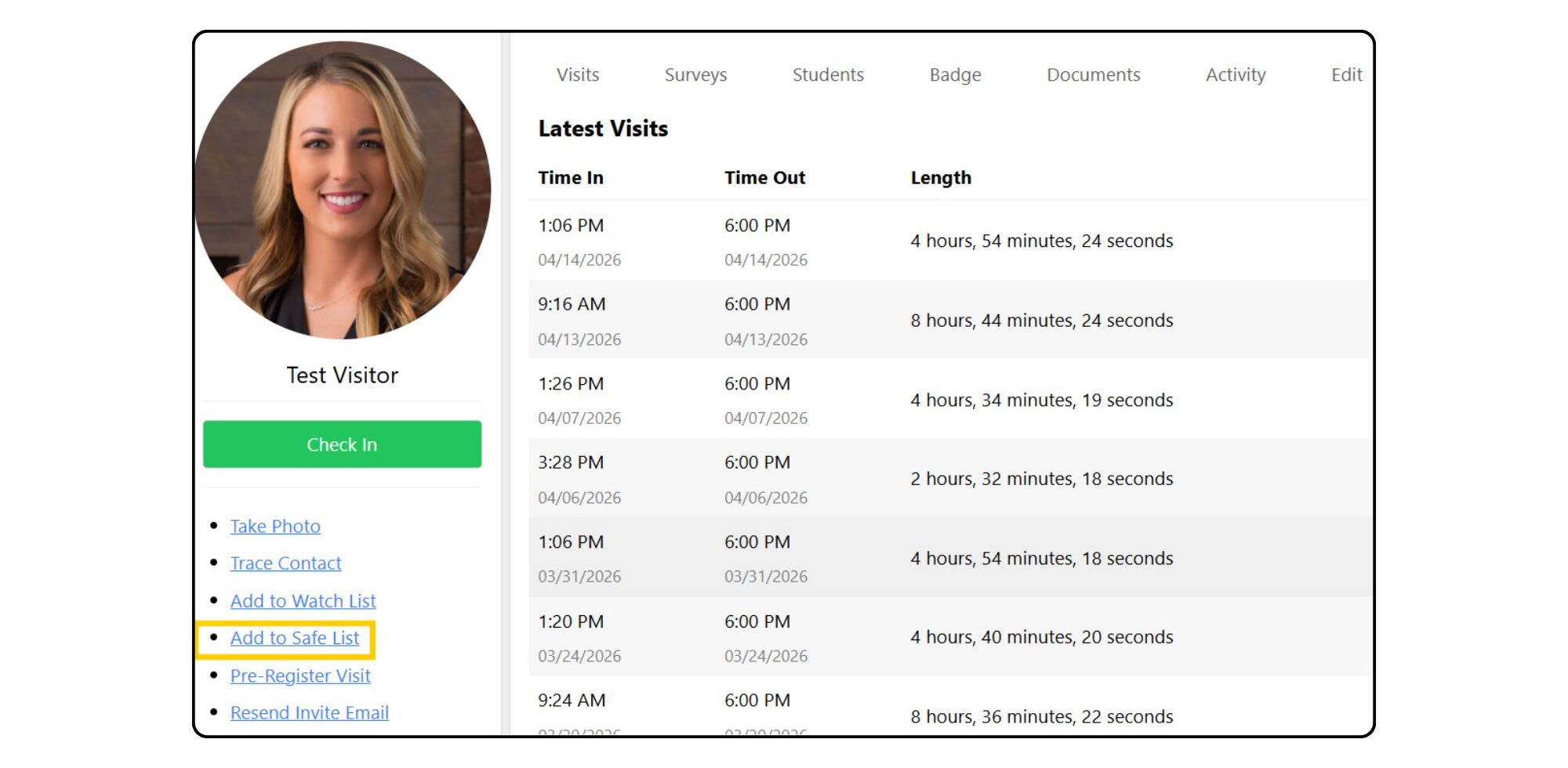
Questions? Please reach out to our team at [email protected].
March 12, 2026
Visitu Mobile v3.15.0
- NEW! Update your notification preference right in the mobile app. Users can now choose Force SMS within their app Settings and receive SMS delivery instead of an app push (pop-up) notification. This update will begin rolling out March 9, with availability to all users by March 12th, 2026.

January 26, 2026
Visitu Kiosk v3.7.0
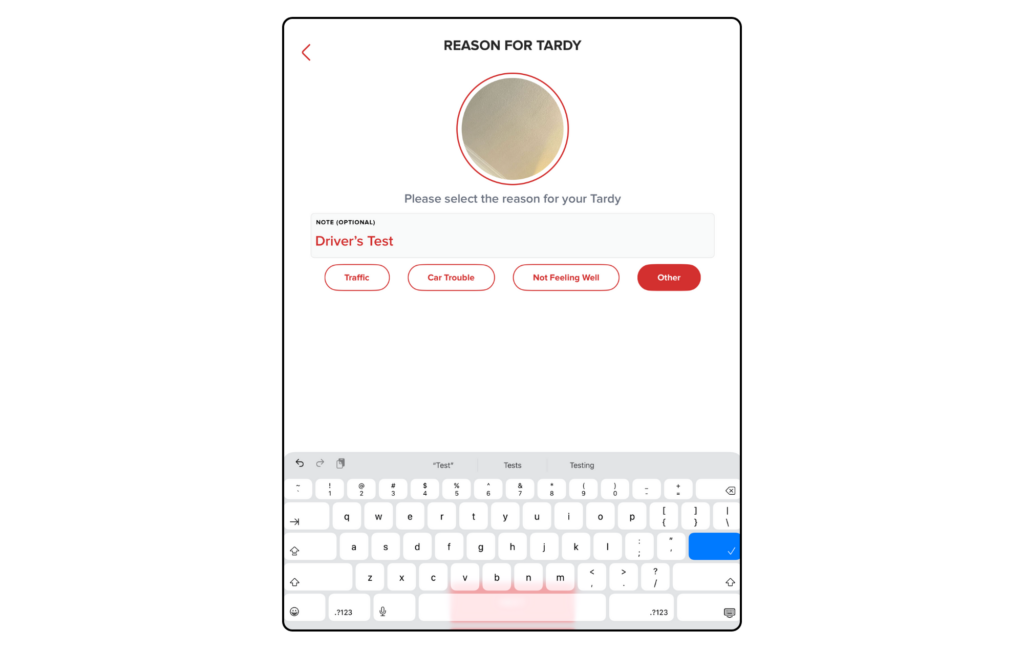
- The Skip Attendance Reason setting now works seamlessly for applicable roles, creating a smoother and faster experience. When enabled, users are taken directly to the next step without setting the “Reason for [Attendance Event]” screen. This update removes unnecessary taps, streamlines workflows, and helps users complete attendance actions efficiently.
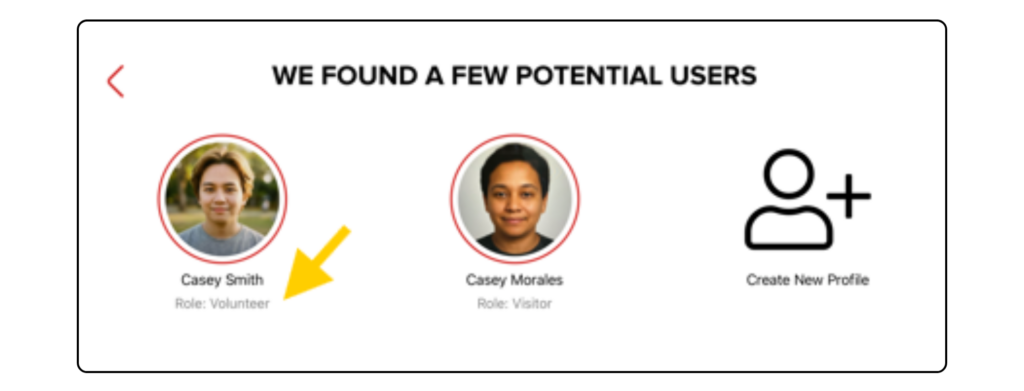
- We’ve updated the “Potential Users” screen to display user roles alongside each match, helping you quickly distinguish between parents, visitors, or other roles. This added clarity is designed to streamline your workflow and improve accuracy during the check-in process.
- We are excited to introduce a new Comment field for attendance events, exclusively available in Receptionist Mode. This optional field appears during the “Select Reason” step, allowing staff to capture specific notes that are automatically included in the attendance report.
November 7, 2025
Visitu Mobile v3.14.0
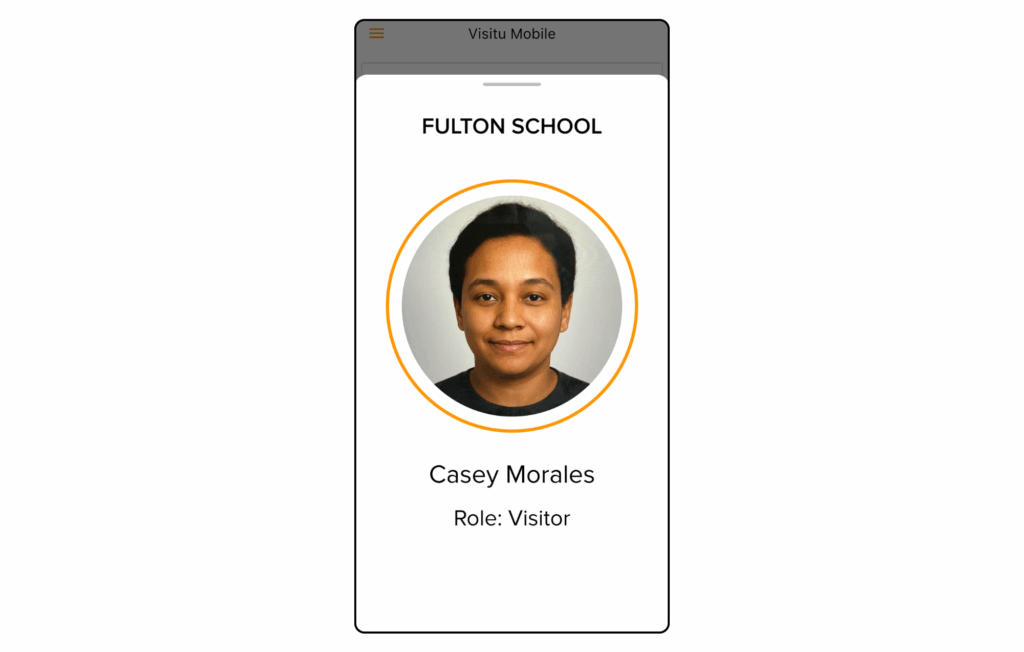
- Profile Screen NEW! Users can now tap their name on the Home screen to open the Profile Screen, which displays their photo, full name, and role. This makes it easier for users to confirm their account details, personalize their experience, and quickly access their profile information.
- Login Flow Simplified The system notification permission prompt now appears automatically after your initial login, streamlining and speeding up the setup process.
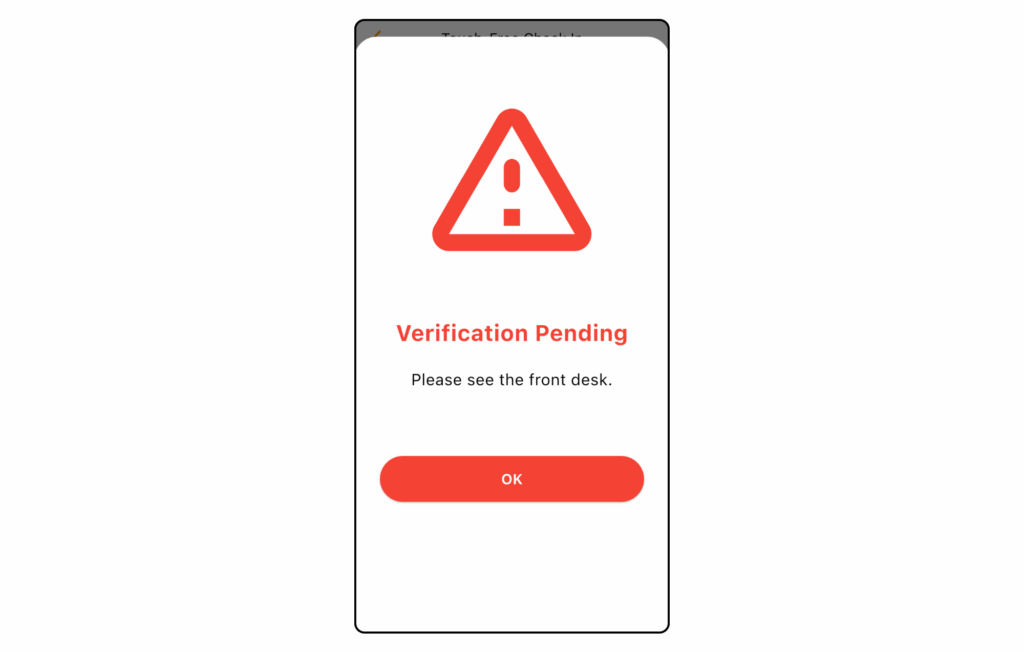
- Offender List To ensure consistency with the kiosk experience, users checking in through the Visitu Mobile app will now see a message to visit the front desk if a possible offender match is detected.
October 20, 2025
Visitu Kiosk v3.6.0
- Touch-Free Check In Visitors flagged by a survey are now prevented from completing a check-in when the kiosk is in Touch-Free mode, matching the behavior in the other modes.
- Confirm Check Out Screen Now displays both check-in and check-out times for improved accuracy and transparency.
- Visitor Information The Address field is now full-width with smooth horizontal scrolling, making long addresses easier to view and manage.
- Login Help The “Need Help?” button on the Welcome screen now opens a prefilled email, making it easier for users to get help with login issues.
- UI Updates Improved formatting, spacing, and alignments for a cleaner and more consistent experience across the app.
September 17, 2025
Visitu Mobile v3.13.0
- Scheduling Fixes Campus & location names now display more clearly for better readability on all scheduling screens.
- Login Validation Updates Improved validation when entering a phone number during login, and invalid OTP codes show clear error messages.
- Emergency Enhancements Evacuation lists now scroll reliably, giving you full visibility of everyone on campus.
- Streamlined Check-In/Out The check-in and check-out process is now faster, clearer and easier to navigate.
- Improved App Stability The app now handles errors more gracefully, making your experience smoother and more reliable.
Questions? Email us at [email protected].